Blogfield notes
AI Employee Experience Explained for Modern Teams
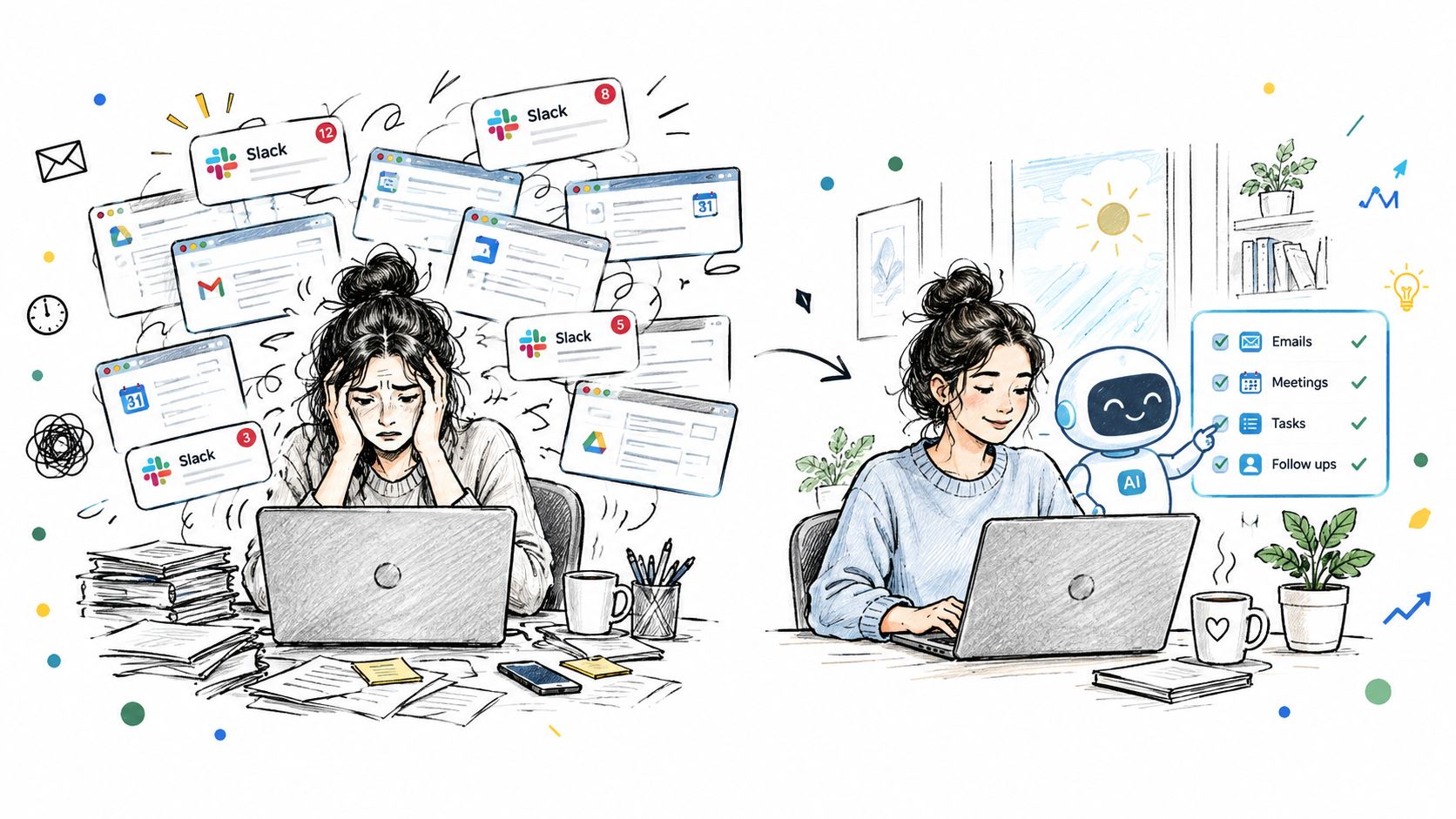
You open Slack and find a dozen conversations waiting. A customer needs an answer, a sales rep wants updated Stripe figures, an engineer posted a deployment note, and someone asked whether the latest proposal followed the new pricing rules. Before the day's real work begins, you'
You open Slack and find a dozen conversations waiting. A customer needs an answer, a sales rep wants updated Stripe figures, an engineer posted a deployment note, and someone asked whether the latest proposal followed the new pricing rules. Before the day's real work begins, you're switching between Slack, HubSpot, Stripe, Google Drive, Notion, and a spreadsheet that only one person fully understands.
That friction is what many teams now call the AI employee experience problem. The issue isn't whether employees can access an AI assistant. Most can. The harder question is whether AI helps people move through work with less searching, fewer handoffs, and less repeated explanation.
A better morning feels different. An AI coworker has prepared a personal brief, summarized the channels that matter, highlighted an unusual customer-usage change, and gathered the documents needed for a decision. You still make the judgment calls. You just don't spend the first hour reconstructing context.
This guide is for founders, operations leads, revenue and support leaders, and IT teams trying to make AI useful without creating another disconnected layer of software. The focus is practical: how AI changes the experience of work, why adoption alone can mislead you, how AI coworkers operate across everyday workflows, and what governance keeps the system trustworthy.
Table of Contents
- Introduction to a Better Day at Work with AI
- What AI Employee Experience Really Means
- Why AI Employee Experience Matters for Business Performance
- How AI Coworkers Change Everyday Workflows
- Building Trust and Governance Around AI at Work
- Adoption Best Practices That Actually Stick
- Measuring ROI and Leading What Comes Next
Introduction to a Better Day at Work with AI
The difference between a frustrating workday and a manageable one often comes down to small interruptions. You search for a contract, ask three people for the latest number, copy a message into another tool, and then return to Slack to discover that the conversation has moved on. None of these tasks looks difficult in isolation, but together they consume attention and break momentum.
A useful AI coworker changes the sequence. Instead of opening five dashboards to prepare a customer update, you mention the coworker in the relevant Slack thread and ask for the information you need. Instead of reading every channel from the previous evening, you receive a brief focused on your accounts, projects, and responsibilities. Instead of asking a teammate to explain the company's proposal style again, the coworker applies the stored standard.
That doesn't mean the AI makes every decision. A strong employee experience gives people less coordination work and more control, not less responsibility. The employee still approves a sensitive message, reviews a recommendation, or decides whether an anomaly deserves action. AI handles the retrieval, assembly, and routine follow-through around that decision.
The timing matters. Gallup reported that workplace AI use was already spreading beyond specialist roles, with 45% of U.S. employees using AI at work at least a few times a year in Q3 2025. Its workplace AI reporting also recorded growing frequent and daily use, alongside organizational efforts to integrate AI into workplace practices.
For a founder, this is an operating-model question. For a revenue leader, it's a question about clean handoffs and reliable customer context. For support and operations teams, it's about whether employees can act without hunting through disconnected systems. The useful path starts with the daily experience, then moves into workflow design, trust, adoption, and measurement.
What AI Employee Experience Really Means
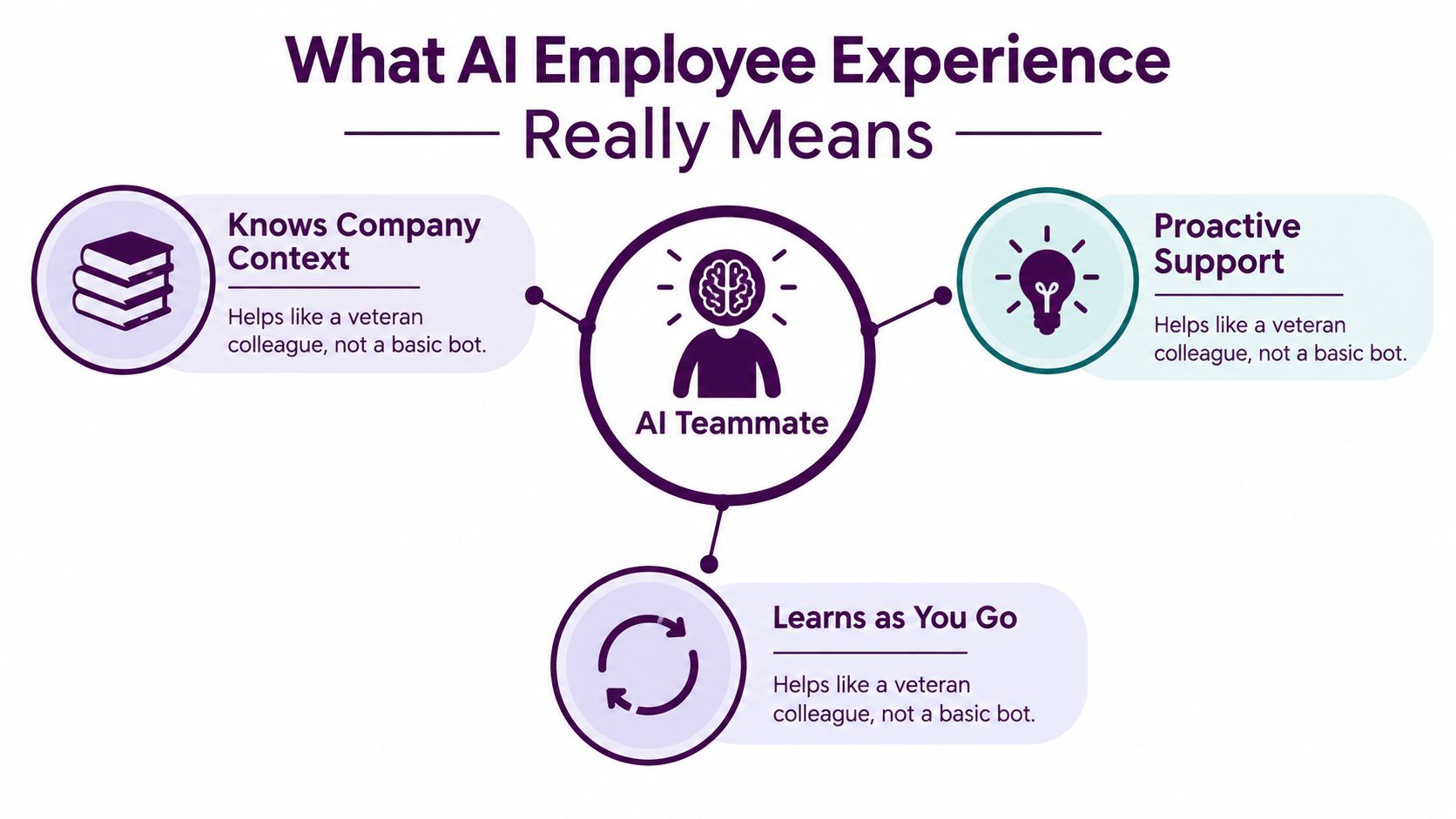
Start with a familiar analogy. A basic chatbot is like a helpful stranger at the front desk. You ask a question, it gives an answer, and you explain the background again the next time. An AI coworker is closer to a teammate who has learned how your company works, knows which systems contain the source of truth, and understands the rules behind recurring tasks.
That distinction gives AI employee experience a practical meaning. It describes how AI shapes the employee's daily interaction with work, including how easily they find information, how much context survives between tools, and how consistently processes get carried out.
From answers to useful action
A mature experience has three layers.
First, the AI needs company context. It should know which pricing document is current, how a proposal is structured, what language fits the brand, and which owner handles a customer issue. Without that context, employees spend their time correcting generic output.
Second, it needs access to the flow of work. If the employee must copy information from Slack into a separate application, wait for an answer, and then paste the result back, the AI hasn't removed the main source of friction. It has added another stop.
Third, it needs memory and reusable skills. A recurring process should become easier after the first successful execution. The coworker can apply a saved expense policy, proposal format, or escalation process instead of asking the employee to provide the same instructions every time.
Gallup's workplace data shows why this shift is becoming operational rather than theoretical. In Q1 2026, 13% of employees reported using AI daily, 28% used it a few times a week or more, and 41% said their organization had integrated AI tools into workplace practices. The relevant change isn't just that more people have tried AI. Employees are beginning to encounter it inside ordinary routines.
The operating layer
Think of the AI coworker as an operating layer between the employee and the company's systems. It can retrieve information, carry out approved actions, summarize activity, and surface an issue before someone asks. The value comes from connecting the steps that employees already perform, not from adding another isolated feature.
Core idea: AI improves employee experience when it remembers how work gets done, operates inside the workday, and acts within the employee's permissions.
That's why tool adoption can look healthy while the experience remains messy. Employees may use AI to summarize a document, but still chase the latest customer status manually. They may draft messages faster, but still reformat every result and verify which data is current. The design question is whether AI completes a meaningful workflow or merely accelerates one fragment of it.
Why AI Employee Experience Matters for Business Performance
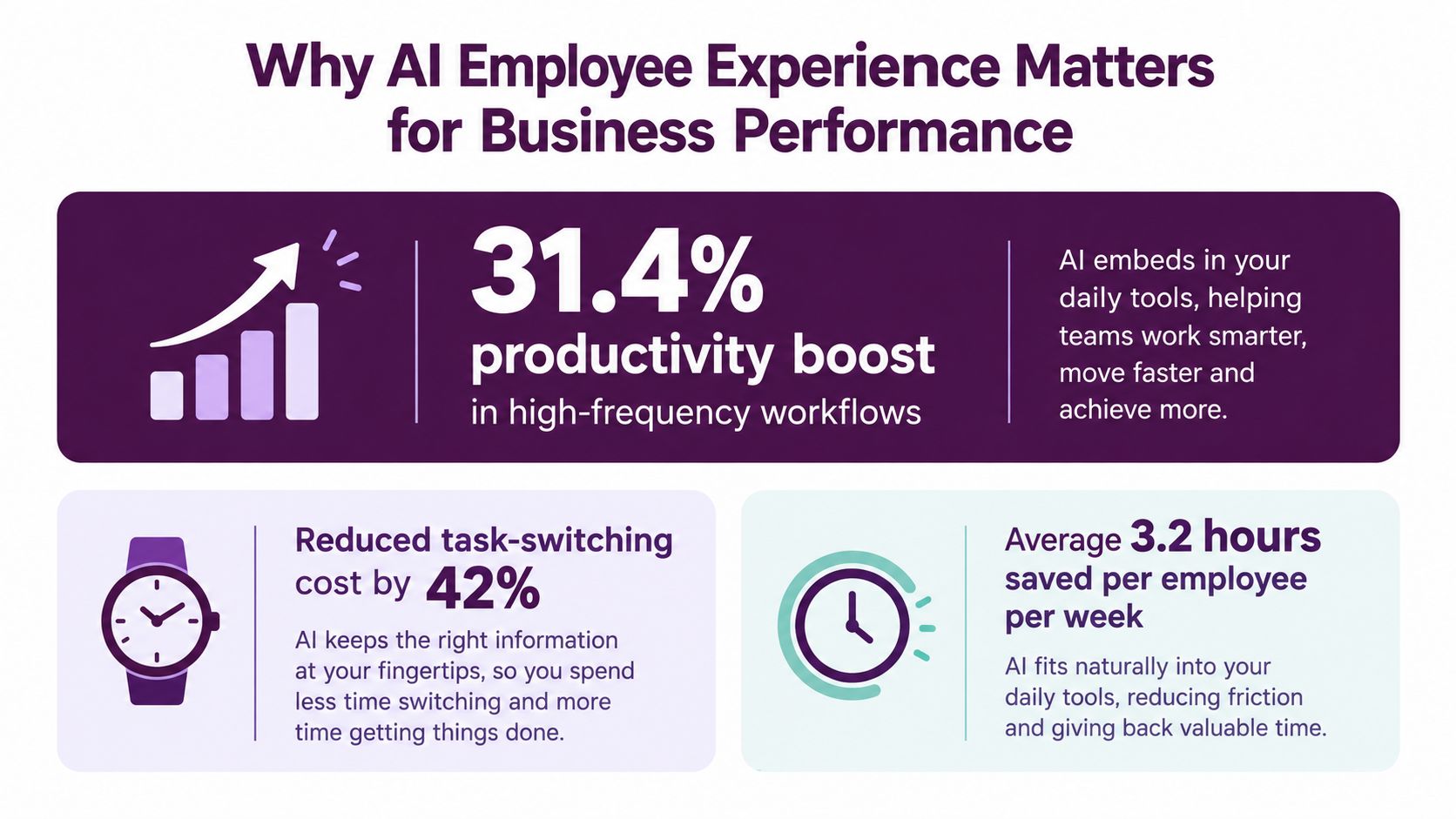
The business case becomes clearer when you measure the work around a task. Search, drafting, summarization, retrieval, and coordination appear repeatedly across sales, support, operations, marketing, and engineering. An AI system that shortens those recurring steps can improve the employee's day while also reducing the time a process takes to reach completion.
The St. Louis Fed estimated that workers' self-reported time savings from generative AI implied a 1.1% increase in aggregate productivity, and that workers were about 33% more productive in each hour they used generative AI. The Federal Reserve analysis of generative AI and work productivity connects the gain to task-level use, which is important for implementation. The result doesn't mean every hour of work improves equally. It points toward frequent tasks where retrieval and drafting create repeated drag.
Adoption isn't the same as value
A team can report strong individual productivity while the organization sees limited improvement. EY's Work Reimagined survey found that 88% of employees use AI at work, while only 28% of organizations are positioned to turn deployment into high-value outcomes. The same research describes usage as concentrated in basic search and summarization rather than complete workflow change.
That gap explains why adoption dashboards can create false confidence. Counting prompts tells you that employees are experimenting. It doesn't tell you whether a support escalation closes faster, whether a sales handoff contains the necessary context, or whether managers spend less time reconciling inconsistent updates.
Track the unit of work instead:
- Task cycle time: How long does it take to produce a customer brief, update a deal, or resolve a routine request?
- Handoff quality: Does the next person receive the required context without another meeting or message chain?
- Rework: How often does someone correct a missing field, outdated number, or policy error?
- Response consistency: Do different employees follow the same approved process?
- Exception handling: How quickly does the team notice and respond to unusual activity?
A useful internal reference is this guide to AI for business operations, especially when you're mapping AI to cross-tool processes rather than isolated prompts.
The hidden cost of fragmentation
The employee experience can also deteriorate when AI creates more checking work. Glean's Work AI Index, discussed alongside Gallup's workplace change findings, reports that 87% of digital workers use AI and 75% say it makes them more productive, while only 13% say their organization is performing significantly better. The contrast suggests that perceived task improvement and enterprise performance can move at different speeds.
The fix isn't to suppress usage. It's to connect usage to workflow ownership, permissions, quality checks, and measurable outcomes. A faster draft matters more when it moves cleanly into the next approved action.
How AI Coworkers Change Everyday Workflows
The most convincing AI experience is usually an ordinary request. A revenue operations manager writes in Slack, “Pull this month's Stripe revenue by plan and add the change from last month.” The coworker checks the authorized data, formats the result for the team's usual update, and replies in the thread. The manager doesn't open a dashboard, download a file, or ask an analyst to translate the figures.
The next request comes from sales. A deal discussion in Slack contains the customer's objection, the proposed next step, and a commitment to follow up. Someone mentions the coworker and asks it to update HubSpot. The coworker can turn the thread into a structured CRM entry, while the employee checks the fields before the record is saved.
That workflow matters because the employee doesn't have to reconstruct the conversation in a second system. The context already exists where the decision happened. The AI connects the discussion to the record instead of making a person perform the transfer.
From reactive help to prepared context
The more interesting moment happens before anyone asks. Overnight, the coworker compiles a personal brief from the channels, accounts, and projects relevant to each employee. It notices that a customer's usage has dropped, identifies the account owner, and posts the signal with enough context to decide whether outreach is appropriate.
This isn't a notification flood. A useful brief filters activity through responsibility. The support lead sees an issue that could affect service. The account manager sees a customer signal. The engineer sees a deployment risk connected to a service they own.
Skills make these interactions consistent. A company can encode its proposal style, pricing rules, expense policy, or brand voice once, then reuse those standards across tasks. Employees still review important outputs, but they don't need to explain the same preference in every conversation.
For teams evaluating the wider pattern, this overview of AI orchestration for sales ops is useful because it treats coordination across systems as the central problem rather than treating each AI feature separately.
The following video shows the kind of in-workflow interaction teams often want from an AI coworker:
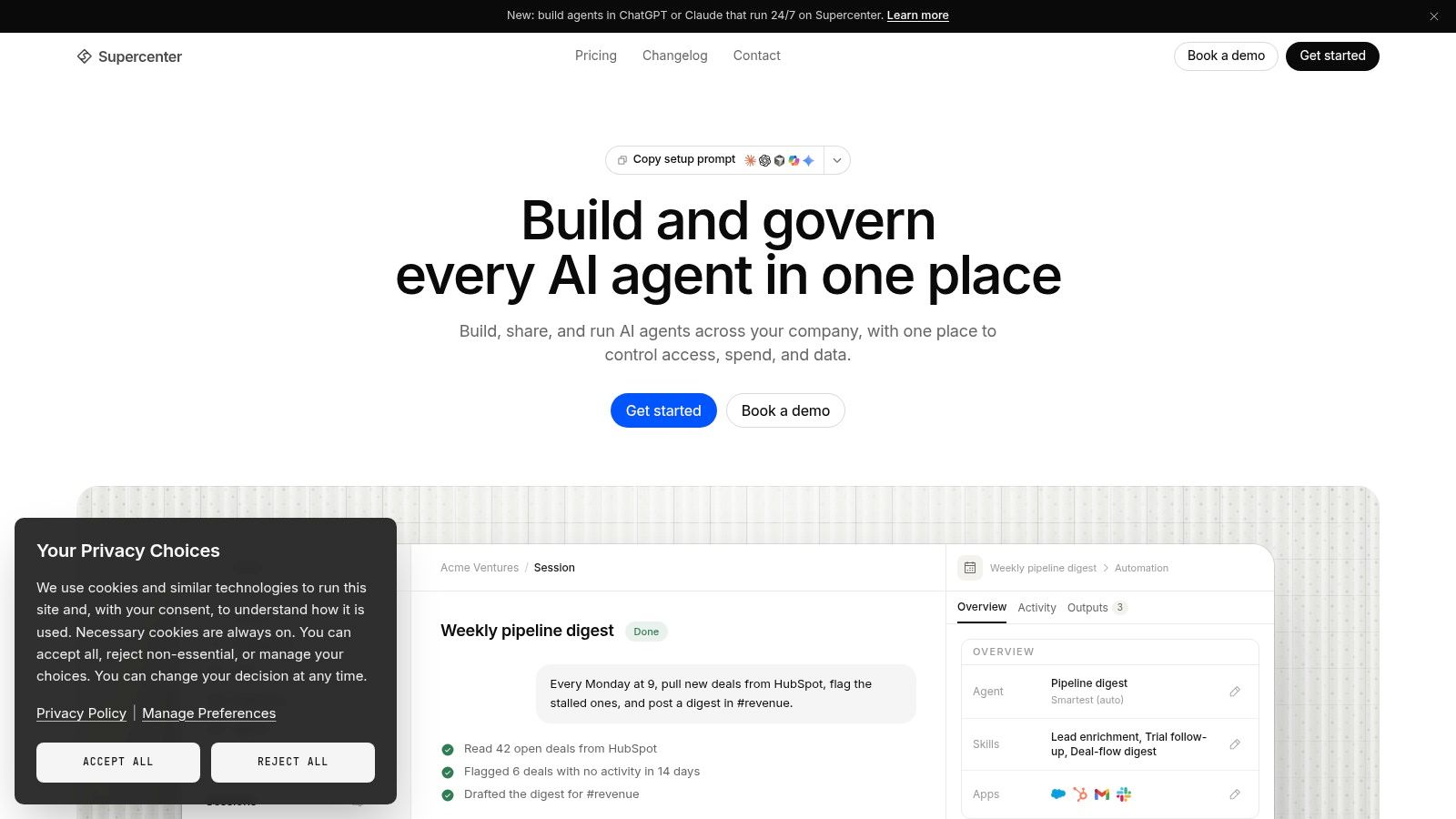
<iframe width="100%" style="aspect-ratio: 16 / 9;" src="https://www.youtube.com/embed/FwOTs4UxQS4" frameborder="0" allow="autoplay; encrypted-media" allowfullscreen></iframe>A system like Supercenter provides an AI coworker that lives in Slack or Microsoft Teams, responds to mentions, and performs tasks across connected business tools. Its coworkers can use memory, inboxes, and reusable skills, while private coworkers can support individual onboarding and personal tasks. The important design choice is not the brand name. It's whether the AI can carry context from the place where work starts to the system where the work must finish.
Building Trust and Governance Around AI at Work
Employees will use AI with or without a formal rollout. The difference is whether that use happens inside a controlled workflow or through disconnected personal accounts, copied data, and unclear responsibility.
A trusted AI coworker behaves like a delegated teammate. It acts on behalf of the requesting employee, follows that person's permissions, records what it did, and makes sensitive actions reviewable. Unmanaged AI use behaves more like an unknown contractor who receives pasted data without a clear scope, leaves no reliable record, and may produce an answer nobody can explain later.
| Governance Factor | Trusted Coworker Approach | Unmanaged Approach |
|---|---|---|
| Permissions | Acts within the requester's existing access | Employees paste or upload information into tools with unclear boundaries |
| Auditability | Keeps a full, replayable record of actions | The team may only see the final output |
| Model use | Lets leaders choose models and apply budget caps | Usage and cost can spread across unapproved services |
| Data location | Supports defined residency requirements, including EU data residency where required | Data handling may vary by account and provider |
| Identity | Uses SSO and custom roles where available | Ownership can depend on personal logins |
| Accountability | Makes the employee and workflow owner visible | Responsibility is unclear when something goes wrong |
Governance reduces hidden work
Permissions aren't a technical detail employees never notice. They determine whether a coworker can complete a task without creating a security exception. If a sales representative can access one account set but not another, the AI should respect that boundary automatically. If an action changes a customer record, the team should be able to review who requested it and what happened.
Audit trails also protect employees. When a result is questioned, a replayable record helps separate an incorrect instruction, missing data, a permission limit, and a model error. That clarity is much more useful than asking someone to remember which prompt they used.
A practical AI governance policy guide can help leadership turn these expectations into operating rules.
Gallup's 2026 data shows how support affects outcomes. Employees using AI weekly or more were more likely to report strong productivity gains than infrequent users, and the share was higher when managers actively supported AI use. When a clear plan, frequent use, manager support, and engagement aligned, employees were nearly three times as likely to give AI the highest productivity rating, 50% versus 17%, according to Gallup's workplace adoption research.
Practical rule: Treat governance as part of the employee experience. A safe workflow should feel easier to use than a risky workaround.
Adoption Best Practices That Actually Stick
AI adoption works better when employees see it solving a real irritation in their own work. A long list of available features won't create that moment. Start with a recurring process that people already understand, then remove the handoffs around it.
Begin with one visible workflow
Have a founder or operations leader onboard the first coworker using real company data. Choose one Slack channel where the pain is obvious, such as sales operations, customer support, or internal requests. Ask the coworker to handle a narrow task, like preparing a daily account brief or turning approved thread details into a HubSpot update.
Keep the first workflow observable. Employees need to see what the AI receives, what it does, and where a person remains responsible. That visibility builds confidence faster than a generic training session.
Encode standards while the team is watching
When the coworker produces an output, ask the team to correct the process, not just the individual answer. If the proposal needs a particular structure, save that structure as a reusable skill. If pricing has an approval rule, define the rule clearly. If support escalations require certain fields, make those fields part of the workflow.
A practical rollout sequence looks like this:
- Choose a repeated task: Pick work that happens often and crosses tools.
- Define the approval point: Decide which actions the AI can complete and which need human review.
- Capture the company standard: Turn tone, policy, fields, and decision rules into reusable instructions.
- Measure the starting point: Record cycle time, handoffs, rework, and missed exceptions before changing the process.
- Review the first outputs: Collect corrections from the people who do the work every day.
- Expand carefully: Add private coworkers and new teams only after the original workflow is stable.
Enable managers, not just employees
Managers determine whether AI becomes part of the team's normal rhythm. They need a clear explanation of why the workflow changed, what the AI can access, and how employees should raise concerns. They also need permission to stop a process that creates extra checking or unclear accountability.
The AI employee onboarding guide is a useful reference for making onboarding concrete rather than treating it as a one-time software installation.
Measure per-task cycle time from the start. Adoption is encouraging, but a shorter handoff, cleaner record, or faster anomaly response tells you whether the new experience is helping.
Measuring ROI and Leading What Comes Next
Leadership teams need a measurement system that connects employee experience to operating results. Start with the moments where work slows down: a request waits for context, a deal record remains incomplete, a customer signal reaches the owner late, or a manager repeats the same explanation across teams.
Measure the process before and after the AI coworker enters it. Useful indicators include:
- Cycle time: Time from request to completed result.
- Handoff count: Number of people or systems involved before completion.
- Rework rate: Corrections caused by missing context, inconsistent formatting, or incorrect routing.
- Consistency: Whether employees follow the same approved standard across channels and tools.
- Anomaly response: Time between an unusual signal and an informed human decision.
- Employee friction: Whether people report less searching, copying, and status chasing.
These measures reconcile the productivity paradox. An employee may feel faster because drafting takes less effort, while the organization sees little change because the approval queue, CRM update, and customer follow-up still happen manually. The workflow has improved in one place but not end to end.
Make the next decision evidence-based
A sensible leadership review asks four questions:
- Did the coworker reduce time on a repeated task?
- Did the next person receive better context?
- Did managers spend less time coordinating routine work?
- Did governance make the process safer and easier to review?
If the answer is yes, expand to a connected workflow. If the answer is no, inspect the design before adding another tool. The problem may be missing permissions, weak memory, unclear ownership, poor source data, or a process that was never suitable for automation.
The next phase of AI employee experience won't be won by the team with the most prompts. It will be won by teams that redesign everyday work so AI can retrieve context, act within clear boundaries, and leave people with better decisions instead of more supervision.
Supercenter provides AI coworkers that work inside Slack or Microsoft Teams and carry out approved tasks across connected business tools, using memory, inboxes, and reusable skills. Visit Supercenter to explore how an AI coworker could support a real workflow in your team and start with a focused, measurable pilot.
- ai employee experience
- AI coworkers
- employee productivity
- AI governance
- workplace AI