Blogfield notes
AI Employee Onboarding Playbook for Founders and HR Teams
A new hire joins Slack on Monday and immediately gets pulled into a maze of channels, calendar invites, old documents, and unanswered questions. Their laptop setup is incomplete, the benefits page points to a document with a different process, and the manager is in back to back m
A new hire joins Slack on Monday and immediately gets pulled into a maze of channels, calendar invites, old documents, and unanswered questions. Their laptop setup is incomplete, the benefits page points to a document with a different process, and the manager is in back-to-back meetings. By Wednesday, the employee knows plenty about where information might exist, but not necessarily how to do the job.
That's the operational gap AI employee onboarding should close. The useful version isn't a chatbot that waits for questions. It's an AI coworker in Slack that owns predictable work across the first 30 days, cites the company's approved information, tracks incomplete steps, and knows when to hand a sensitive question to a person.
The opportunity is already visible in the data. A 2025 BambooHR onboarding benchmark found that 60% of new hires received no AI-specific training during onboarding, while AI wasn't addressed at all in 53% of onboarding programs. Yet 30% of new hires said they used AI in onboarding and found it helpful, and 32% said they used AI to answer questions instead of asking a manager or colleague. The demand is present. The rollout discipline usually isn't.
Table of Contents
- The First Week Is Broken and AI Can Fix It
- Setting Up Permissions Data and Model Choice Before Day One
- The Four-Week AI Onboarding Workflow in Slack
- Message Templates You Can Drop Into Slack Today
- Metrics That Predict Onboarding Success
- Building Trust Through Scopes Audit Trails and Human Oversight
- Your 30 60 90 Rollout Plan and Final Checklist
The First Week Is Broken and AI Can Fix It
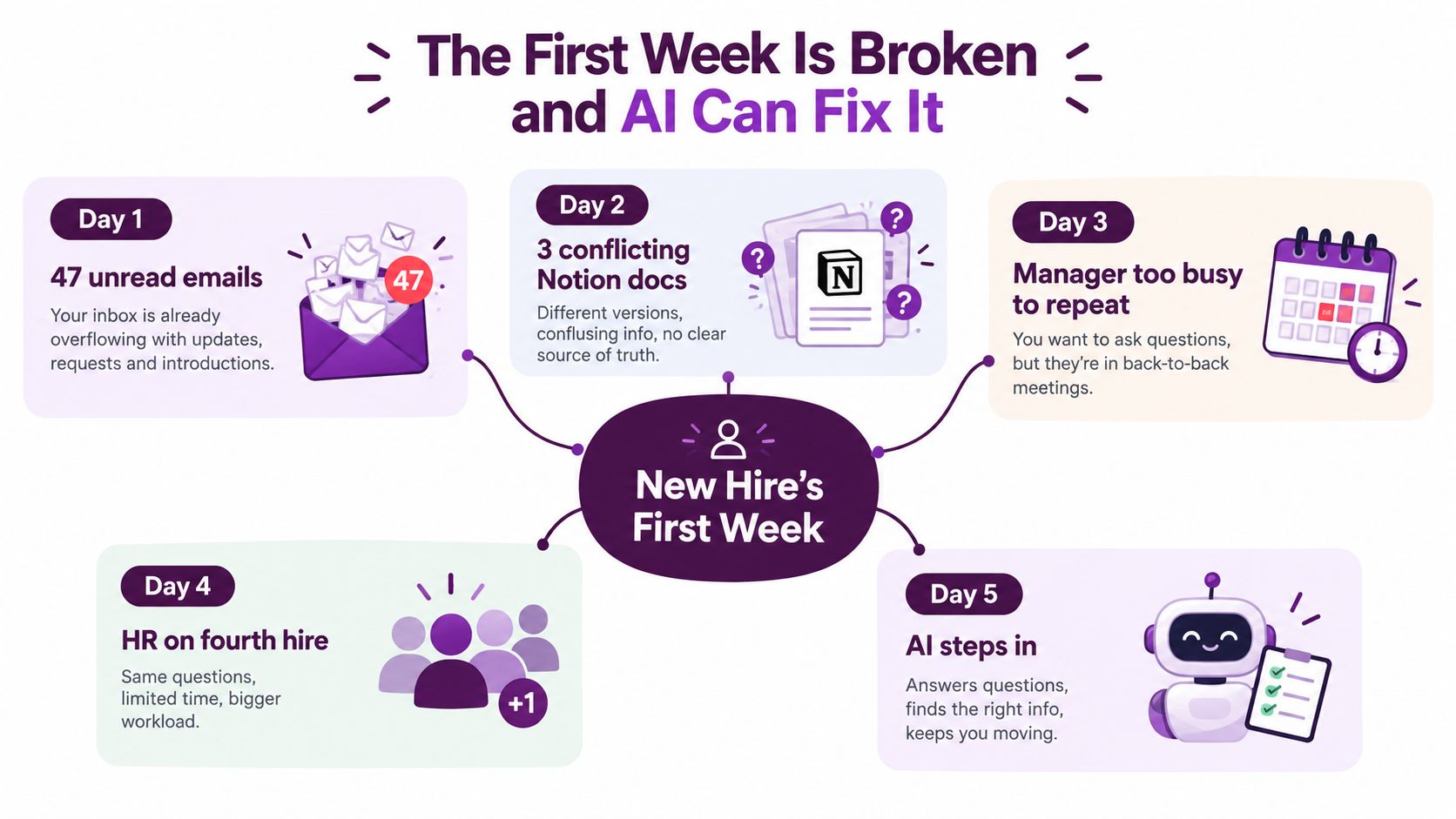
The first Monday often starts with a welcome message, a calendar full of meetings, and a new inbox already full of context the employee doesn't have. They may have 47 unread emails, three Notion pages that disagree about the same process, and a manager who's too busy to repeat the explanation they gave the last new hire.
By Tuesday, the employee is asking where to find the benefits policy, whether the laptop request was submitted, and which GitHub repository is the correct one. HR is handling another hire, IT is working from a ticket queue, and the manager assumes somebody else has covered the basics. Nobody is deliberately neglecting the new employee. The system depends on everyone remembering the same handoffs at the same time.
Treat the first week as an operating system
I've watched this cycle repeat in growing teams. The visible problem looks like slow replies, but the deeper problem is fragmented ownership. A new hire doesn't know which document is canonical, which person owns access, or whether a question is too basic to ask.
An AI coworker gives the employee one reliable Slack handle. It can answer questions about laptop setup, benefits enrollment, Wi-Fi, parking, approved tools, repo access, and required training. It can point to the canonical source rather than summarizing an outdated copy, and it can route a people question to HR instead of guessing.
Practical rule: Let the AI own predictable coordination. Let humans own judgment, relationships, context, and reassurance.
That distinction matters. An AI coworker shouldn't replace the manager's welcome conversation, the peer introduction, or the discussion about how the team makes decisions. It should remove the repetitive work that prevents those people from having the right conversations.
The quality gap is a workflow problem
The 2025 Enboarder onboarding technology survey found that 82.5% of HR leaders were very or somewhat likely to switch or update onboarding technology within the following 12 months. The same survey reported that 60% of organizations were already using or testing AI-enabled onboarding, while 25% planned to invest within the next 12 to 18 months. HR leaders ranked automating administrative tasks at 61.9% and personalizing onboarding at 61.3% among the most valuable future uses.
That doesn't mean a chat window solves onboarding. It means buyers are looking for a system that connects answers to actions. The coworker should know whether an access request is complete, whether the new hire has finished training, and who needs to intervene when a workflow stalls.
The rest of this playbook treats onboarding as a four-week Slack workflow, with explicit permissions, message templates, escalation rules, and outcome metrics. The first week shouldn't be a scramble that depends on who happens to be online. It should be a system that gives every employee a clear starting point without making the company feel less human.
Setting Up Permissions Data and Model Choice Before Day One
A new hire asks for repository access in Slack. The coworker finds the request, checks the employee's role, and either routes it to the right owner or explains why it cannot act. That outcome depends less on the opening prompt than on identity, permissions, source quality, and escalation rules configured before day one.
Start with identity. Connect the coworker to SSO and the HRIS so it can resolve the correct employee, manager, department, location, start date, and onboarding plan. Do not identify people from a Slack display name alone. The identity record should determine the workflow, approved content, and people who may receive escalations.
Lock down the data path
Choose the model for the task. A hosted frontier model fits broad natural-language questions, while a smaller fine-tuned model can suit tightly controlled company policy language. Keep an override path so HR or IT can route a question to another model when accuracy, latency, cost, or data handling calls for it.
Set the response policy for sensitive inputs. If a new hire pastes a customer name, medical detail, compensation question, or similar information into a thread, the coworker should minimize retention, avoid repeating the data, and route the issue according to policy. Decide data residency and PII handling during rollout, before security review becomes a blocker.
Define the knowledge boundary:
- HRIS: Employee identity, role, manager, location, and workflow status.
- Notion or Drive: Approved policies, onboarding guides, team documentation, and FAQs.
- GitHub or Linear: Role-specific repositories, tickets, contribution guidance, and project context.
- Slack: Only the channels and history required to answer onboarding questions.
Start narrow in Slack
A coworker added to every channel creates noise. People mute it, question its replies, and stop using it. Begin with a private onboarding channel, direct messages, and one narrowly scoped helper channel. Expand access only when the team can state the use case, owner, and review process.
| Scope | Day 1 Minimum | Day 30 Standard | Day 90 Full |
|---|---|---|---|
| Slack visibility | Private onboarding channel and direct mentions | Approved team onboarding channels | Carefully reviewed operational channels |
| Knowledge access | HRIS onboarding fields and canonical HR documents | Role-specific Notion, Drive, GitHub, or Linear sources | Additional approved systems with owner review |
| Action rights | Answer, link, remind, and escalate | Create low-risk tasks or tickets | Execute approved workflow actions with logging |
| Sensitive data | No payroll writes, no private-message discovery | Human review for people questions | Formal policy-based routing and audit review |
Use a one-day setup checklist
Before the next hire starts, confirm SSO identity mapping, the model default, data residency rules, PII behavior, approved knowledge sources, Slack channel scope, escalation owners, and audit destination. Test questions with known answers. Then test requests the coworker must refuse or send to a person, such as payroll changes or access outside the employee's role.
A platform such as Supercenter provides Slack-based AI coworkers that respond to mentions, work across connected business tools, act within user permissions, and maintain a replayable audit trail. Whatever platform you choose, set the permissions first and polish the conversation second. The coworker should be able to explain what it accessed, what it changed, and why a human received the escalation.
The Four-Week AI Onboarding Workflow in Slack
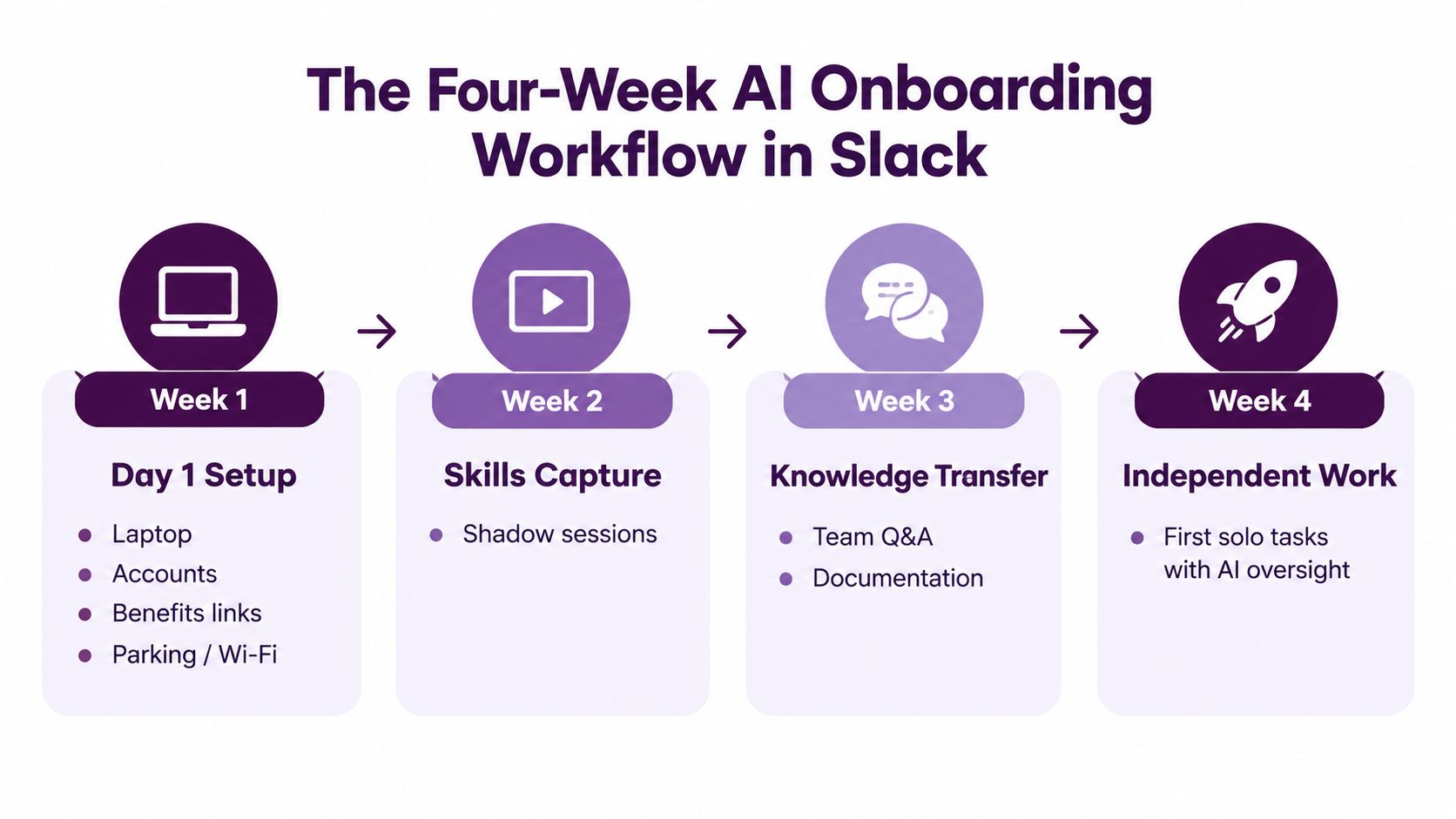
The workflow should feel like a dependable teammate, not a sequence of HR broadcasts. Give the coworker a start date, role, manager, location, and onboarding plan. Then let it handle the predictable prompts while the manager handles the conversations that require interpretation.
Day 1 setup
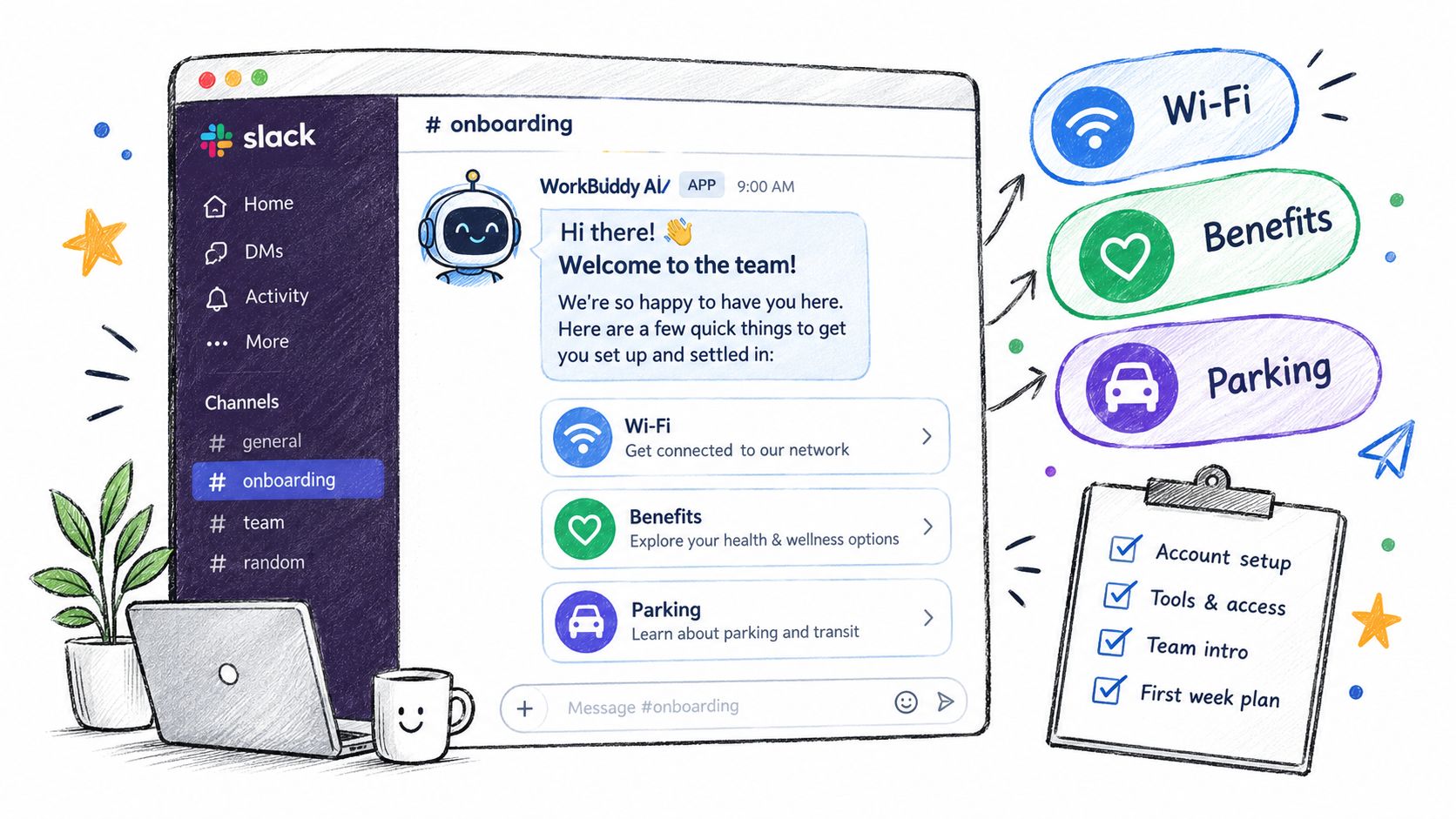
Within the first morning, the coworker sends a private Slack DM containing the equipment checklist, account links, benefits resources, parking or Wi-Fi information, and the first required actions. It asks one confirmation question rather than presenting a wall of instructions.
New hire:
/onboarding what do I do about my 401k?
Coworker:
Your benefits enrollment guide is here: [canonical benefits guide]. The enrollment deadline and eligibility rules are listed in the benefits section. This is a benefits question, so I can also loop in HR if you want help with your specific situation. Have you received access to the benefits portal?
If the employee asks for a personalized interpretation, the coworker should stop short of making a decision and offer the HR escalation.
Week 1 skills capture
During the first week, the coworker prompts the employee to capture what they've learned from shadow sessions, repository walkthroughs, product demos, or sales calls. It can turn notes into a structured list of competencies, link the relevant documentation, and send the completion status to the HRIS or onboarding tracker.
New hire:
@OnboardingCoworker I watched the payments walkthrough. What should I document?
Coworker:
Please add the three workflows you can now explain, the systems you used, and any step you couldn't complete without help. I'll organize the notes, link the supporting documentation, and mark the skills-capture task ready for review. Your manager will confirm the role-specific expectations.
Week 2 and Week 4 execution
Week two should introduce a small, real deliverable. For engineering, that might be a first PR. For sales, it could be a reviewed account exercise. For operations, it might be a completed workflow with an exception documented. The coworker can track the task, remind the employee, and surface blockers, but the manager decides whether the work meets the team standard.
At week four, it prompts a 30-day retrospective. It collects feedback, unresolved questions, missing documentation, and the manager's review prompts. The manager owns the conversation about confidence, relationships, and expectations. The coworker owns preparation and follow-through.
Schedule DMs at 9 a.m. local time on days 1, 3, 7, 14, and 28, and monitor an always-on #onboarding-helper channel. The exact cadence is less important than consistency and local context.
The workflow should connect to your existing Slack agent stack, including the patterns described in Slack AI agent integration, rather than creating another dashboard employees must remember to open.
A short visual walkthrough can help HR and managers understand how the Slack sequence should feel in practice.
<iframe width="100%" style="aspect-ratio: 16 / 9;" src="https://www.youtube.com/embed/6yqhqRv85MY" frameborder="0" allow="autoplay; encrypted-media" allowfullscreen></iframe>Message Templates You Can Drop Into Slack Today
The fastest way to expose weak onboarding logic is to write the messages before connecting every system. Put the coworker in a private test channel, paste the templates, and observe where employees would still need to ask a person.
Template one for the day-one DM
Send this shortly after the employee joins Slack:
Hi @NewHire, welcome to the team.

I’ll help you keep track of predictable onboarding tasks during your first month. I can answer questions from approved company sources, link the canonical document, remind you about open steps, and bring in a person when a question needs judgment.

Today:
• Confirm your laptop and account access: [equipment checklist]
• Add your team meetings: [calendar links]
• Review benefits and enrollment: [canonical benefits guide]
• Read the security and acceptable-use policy: [policy link]
• Find your team’s onboarding channel: [channel link]

Reply “received” when you’ve found the checklist. If anything is missing, tell me what you expected and I’ll route it to the right owner.
If the Slack or HRIS API fails, the fallback should be visible and simple:
I can’t verify this task automatically right now. Please use [canonical checklist] and reply with the item that’s blocked. I’ll notify the onboarding owner.
Customize the equipment and calendar lines for engineering, sales, or operations. Don't customize the boundary language. Employees should always know what the coworker can and can't do.
Template two for skills capture
Post this in the relevant team channel with a narrow mention:
@NewHire, quick week-one check-in.

Please reply in this thread with:
1. The workflow you can now complete without help
2. The system or repository you used
3. One concept that still feels unclear
4. The next task you’re ready to attempt

@OnboardingCoworker, organize the reply into skills, tools, open questions, and proposed next steps. Don’t mark a skill complete until the manager confirms it.
For engineering, replace “workflow” with a repository task or first PR. For sales, request an account exercise or call-review takeaway. For operations, ask for the completed process and any exception path.
Template three for the 30-day retrospective
Use the coworker's threaded reply to gather structured input:
@NewHire, your 30-day review is ready.

Please answer:
• What became easier after your first week?
• Which question took too long to resolve?
• Which document or workflow needs updating?
• What can you now do independently?
• What should your manager cover in the review?

@Manager, please review the summary, confirm the role-specific expectations, and add one priority for the next month. Sensitive questions about compensation, performance, or employment status will be routed to a human.
A team can adapt these templates alongside morning briefing ideas, especially when the same coworker later delivers daily context beyond onboarding.
Metrics That Predict Onboarding Success
A busy onboarding dashboard can still miss the outcome that matters. Message counts, active users, and question volume show activity, not readiness. The useful test is whether a new hire can produce meaningful role output, whether the manager has enough context to help, and whether the employee remains engaged.
Start with outcome measures. AI-assisted onboarding implementations have reported 25% to 40% faster time to full productivity, 30% to 50% fewer HR administrative hours per new hire, and up to 82% higher retention compared with manual onboarding, according to the 2026 AI onboarding automation analysis. Use these figures as benchmarks for your own rollout, not as promises for a business case.
Instrument the work, not the conversation
Track the first meaningful role output, such as time to first PR or time to first deal. Add unanswered questions resolved by the coworker, manager hours saved, the day-30 new-hire pulse, and voluntary attrition at the retention checkpoint used by HR.
A separate chatbot benchmark reported onboarding time falling from 14.2 days to 8.7 days, HR administrative time dropping from 12.5 to 6.8 hours per hire, and IT setup resolution improving from 48 hours to 6.2 hours. It also reported document completion moving from 78% to 94% and compliance-training completion from 82% to 97% in the compared implementation. The benchmark analysis describes a staged workflow covering identity and access, policy and training, then role-specific execution.
| Metric | Category | Instrumented In | Predicts 90-Day Retention? |
|---|---|---|---|
| Time to first meaningful role output | Predictive | HRIS, GitHub, CRM, or project system | Yes, as a readiness signal |
| Unanswered questions resolved | Predictive | Slack threads and escalation log | Useful when paired with resolution quality |
| Day-30 new-hire pulse | Predictive | Survey or HR platform | Yes, as an experience signal |
| Manager hours saved | Predictive for operating efficiency | Manager pulse and workflow log | Indirectly |
| Voluntary attrition at the retention checkpoint | Outcome | HRIS | Yes, directly |
| Total messages sent | Vanity | Slack analytics | No, by itself |
| Active coworker users | Vanity | Slack analytics | No, by itself |
Review one simple weekly report
Compare cohorts only when their roles and onboarding conditions are reasonably comparable. An AI-supported group may reach its first meaningful task sooner while reporting the same documentation gap as a manual group. That result points to a workflow improvement and a content problem. The content owner still needs to update the source.
Review completion rate, exception rate, first role output, escalations, manager time, sentiment, and retention indicators together. The Enboarder readiness-gap research found that only 22.4% of HR leaders rated their onboarding a 9 or 10, while 45.9% listed slow time to productivity among their top problems and 39.2% flagged compliance and safety training as persistent pain. The same research identified manager and supervisor enablement as a top investment priority for 73.9% of respondents.
A Slack coworker should surface these bottlenecks through its weekly report. Managers still need the authority and context to fix them.
Building Trust Through Scopes Audit Trails and Human Oversight
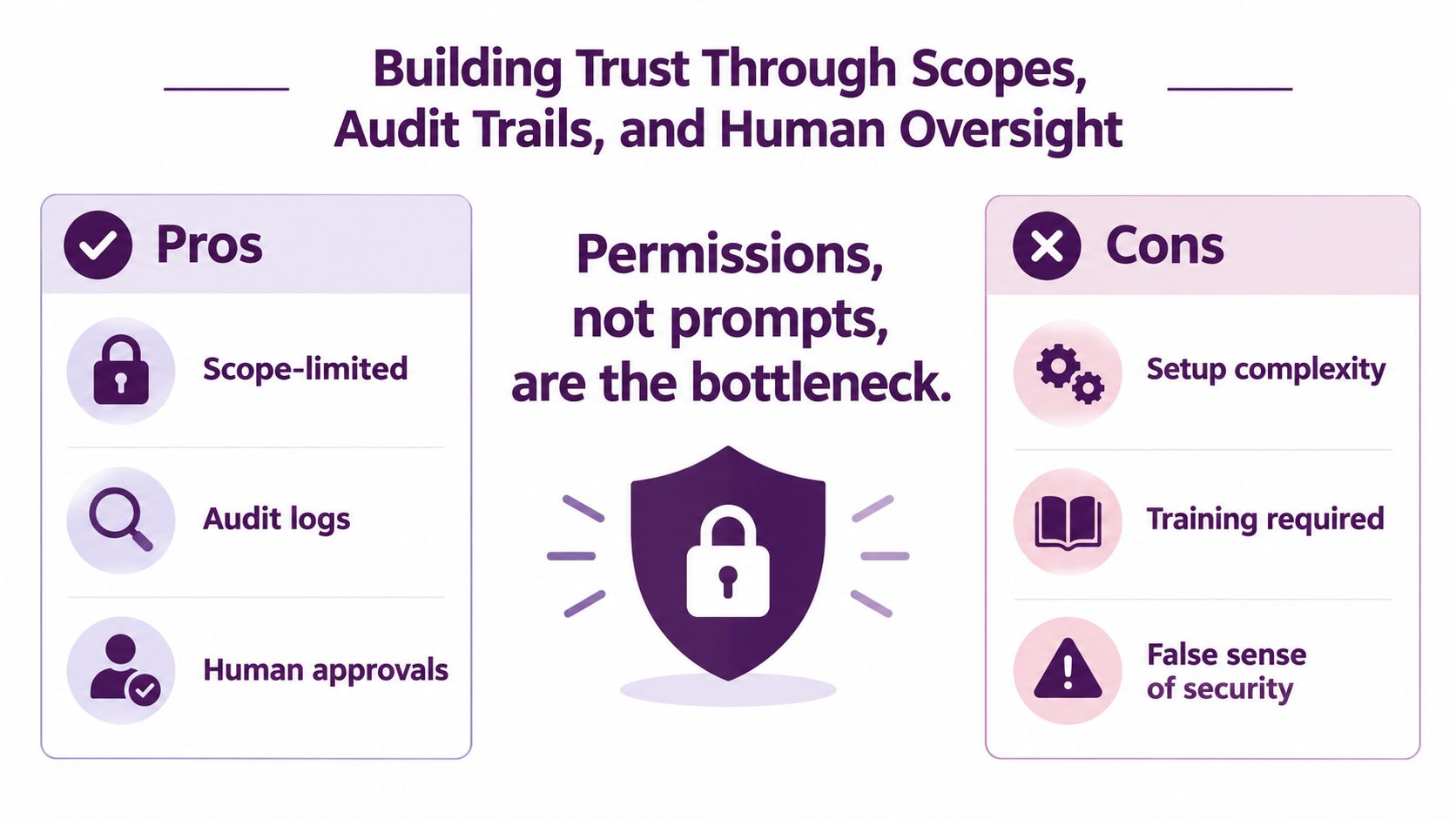
Employees don't decide whether to trust an AI coworker based on how clever its prompt sounds. They decide based on what it can access, what it records, and whether a human can explain its actions.
Request only the Slack scopes required for the onboarding workflow. That usually means reading relevant channel history, posting messages, reacting, and adding reactions where those actions support task status. It doesn't mean reading every private conversation or inspecting employee behavior across the workspace.
Keep the dangerous scopes out
The coworker should never request DMs.read, broad administrator tokens, or write access to payroll systems. It shouldn't change compensation data, alter performance records, approve employment actions, or infer sensitive personal information from unrelated conversations.
Use role-based permissions for every connected system. If the requester can't access a record, the coworker shouldn't be able to retrieve it on their behalf. Record the user, request, source systems, action, result, and escalation outcome in an immutable audit log that lives outside the conversational thread.
Trust contract: “This coworker handles routine onboarding work, uses only approved sources, and shows what it did. It doesn't read private conversations, make people decisions, or replace your manager.”
Make review and shutdown routine
Send each action to a restricted audit channel or dedicated logging system that HR, IT, and the responsible manager can review. Create a kill switch that disables outbound messages and tool actions without deleting the evidence needed to investigate a failure.
Sensitive questions need a clear path. Anything involving compensation, performance, medical information, complaints, discipline, or termination should route to a named human before the coworker sends an answer. The AI can acknowledge the request, explain that a person will respond, and attach the relevant policy. It shouldn't improvise.
The same rule should apply to uncertainty. If the source documents conflict, the coworker should show the conflict and escalate it rather than choosing whichever answer sounds most plausible. The governance principles in the AI governance policy guide are useful context for documenting those boundaries before employees rely on the system.
Your 30 60 90 Rollout Plan and Final Checklist
AI onboarding should start as a controlled rollout, not a company-wide transformation. Choose one cohort, one role path, and one Slack workflow that is real enough to expose failures while small enough to review daily.
Days 1 to 30
Connect SSO, HRIS identity, approved sources, Slack scopes, escalation owners, and audit logging. Draft the core onboarding messages, then run the coworker in shadow mode beside a human buddy. It may draft answers and task updates, but the buddy verifies the source, tone, permission boundary, and routing before anything reaches the new hire.
Days 31 to 60
Move the workflow into a controlled pilot with a defined group of new hires. Track task completion, exception rate, ticket deflection, unresolved questions, manager time, and new-hire sentiment. Repair source documents and integrations before revising prompts. A better prompt cannot fix a broken HRIS connection or an access request with no owner.
Days 61 to 90
Add roles only after the pilot has a consistent review rhythm. Formalize audit-log reviews, document escalation owners, train managers, and report time-to-productivity and retention changes to leadership. If the coworker confuses employees, pause outbound messages and tool actions, preserve the audit trail, and return to shadow mode while the workflow is repaired.
Before launch, verify each item:
- Channel naming: Create a private onboarding channel and a clearly named helper channel.
- Opt-in messaging: Explain what the coworker does, what it cannot access, and how to request human help.
- Source ownership: Assign an owner to every policy, checklist, and role document.
- Retention rules: Define how long prompts, outputs, and audit records remain available.
- Escalation coverage: Name HR, IT, and manager owners for sensitive or blocked requests.
- Off-ramp: Specify the outcome or trust failure that pauses the pilot.
- Review cadence: Schedule recurring audits and metrics reviews before the first employee starts.
For employee records, access, policy acknowledgments, and manager responsibilities, use the essential onboarding checklist for 2026 as a companion. Keep the AI coworker inside the existing operating model, with clear ownership rather than a separate process.
The practical test is direct. A new hire should know the next action, find an approved answer quickly, reach a person when judgment matters, and produce meaningful work without decoding the company's internal maze. Permission limits, visible activity, and human review turn that standard into an operating control.
Supercenter provides AI coworkers that operate inside Slack. New hires can @mention a coworker-like assistant for answers, complete tasks across connected tools, and keep routine onboarding work moving while managers handle decisions and relationships.
- ai onboarding
- employee onboarding
- ai coworker
- Slack onboarding
- HR automation