Blogfield notes
AI Agent Meaning Explained: What It Is and Why It Matters
An AI agent is a software system that takes a goal, plans the steps, and uses tools and data to act on a user's behalf, unlike a chatbot that only replies with text. The adoption picture is still developing: 14% of organizations had implemented AI agents at partial or full scale,
An AI agent is a software system that takes a goal, plans the steps, and uses tools and data to act on a user's behalf, unlike a chatbot that only replies with text. The adoption picture is still developing: 14% of organizations had implemented AI agents at partial or full scale, while 23% were piloting them, according to Capgemini's research on generative AI in organizations.
You may already be working beside something that looks like an agent without calling it one. A sales request arrives in Slack, someone asks for a customer summary, and an AI tool pulls information from the CRM, checks recent emails, and drafts a reply. The important question isn't whether the tool can write a good paragraph. It's whether it can understand the goal, choose the next step, use approved systems, and finish the work without needing a new instruction after every action.
That distinction is the heart of AI agent meaning. The term describes a way of working, not merely a more impressive chatbot. To understand it, start with the moment a founder delegates a messy workplace task to a capable coworker.
Table of Contents
- What an AI Agent Actually Means at Work
- AI Agent vs Chatbot vs Automation
- The Four Capabilities That Make an Agent
- How Real Teams Use AI Agents Every Day
- The Adoption and Trust Gap in 2026
- Why Permissioned, In-Context Coworkers Win
- A Quick Checklist Before You Deploy an AI Agent
What an AI Agent Actually Means at Work
It's Monday morning. A head of growth sends a message in Slack: “Pull last week's trial signups, flag accounts that match our enterprise ICP, draft a personalized follow-up for each one, and book discovery calls where appropriate.”
A human teammate wouldn't need a detailed script. They'd know to open the analytics dashboard, compare accounts with the company's ICP notes, inspect firmographic information in the CRM, write messages in the brand voice, check calendar availability, and ask for approval if a prospect looked unusually important. They'd also keep the request in context if the head of growth followed up later with, “Prioritize companies in healthcare.”
An AI agent is designed to handle that kind of delegation. It receives a goal, decomposes it into steps, accesses relevant tools and data, evaluates intermediate results, and continues until it completes the task or escalates. This is the practical definition described in Meta's explanation of AI agents.
A chatbot placed in the same Slack conversation would behave differently. It might draft a follow-up email if you pasted in the prospect details. It might suggest a qualification framework. But unless it has agent capabilities and approved integrations, it won't independently inspect the CRM, compare every signup, schedule meetings, or report which actions succeeded.
The coworker test
A useful test is to ask whether the system can perform these four jobs:
- Remember context: It can retain relevant instructions, previous decisions, customer history, or company standards.
- Plan the work: It can decide what needs to happen first and adjust when a step produces an unexpected result.
- Use tools: It can call systems such as Salesforce, Stripe, Google Calendar, Zendesk, or an internal database.
- Act on your behalf: It can take an approved action, such as updating a record or sending a message, under defined permissions.
A directory such as the SubmitMySaas agent directory guide can help you explore the range of agent products and use cases. But product labels aren't enough. Ask what the system can access, what it can change, how it handles failure, and whether a human can review its work.
The phrase “AI agent” becomes useful when it describes delegated execution. Language generation is part of the experience, but the business value comes from completing work across the tools where that work already lives.
AI Agent vs Chatbot vs Automation
The easiest way to separate these technologies is to give all three the same task: qualify a new lead.
A chatbot waits for a prompt and returns an answer. You might paste in the lead's website and ask, “Does this company fit our ICP?” It can explain its reasoning or draft a message, but the person using it generally supplies the context and carries the result into the next system.
A traditional automation follows a path that someone designed in advance. For example, a new form submission could trigger a Zap that creates a Salesforce record, assigns an owner, and sends a standard email. That works well when the input and rules stay predictable. If the form changes, the CRM field is missing, or the lead needs a judgment call, the automation usually stops or sends the wrong output.
An agent starts with the desired outcome rather than a completely fixed route. It might inspect the form, look up the company, search the CRM for existing activity, decide whether more information is needed, draft a suitable message, and place the lead in the correct queue. If one tool fails, it can report the failure or select an approved alternative instead of pretending the task is complete.
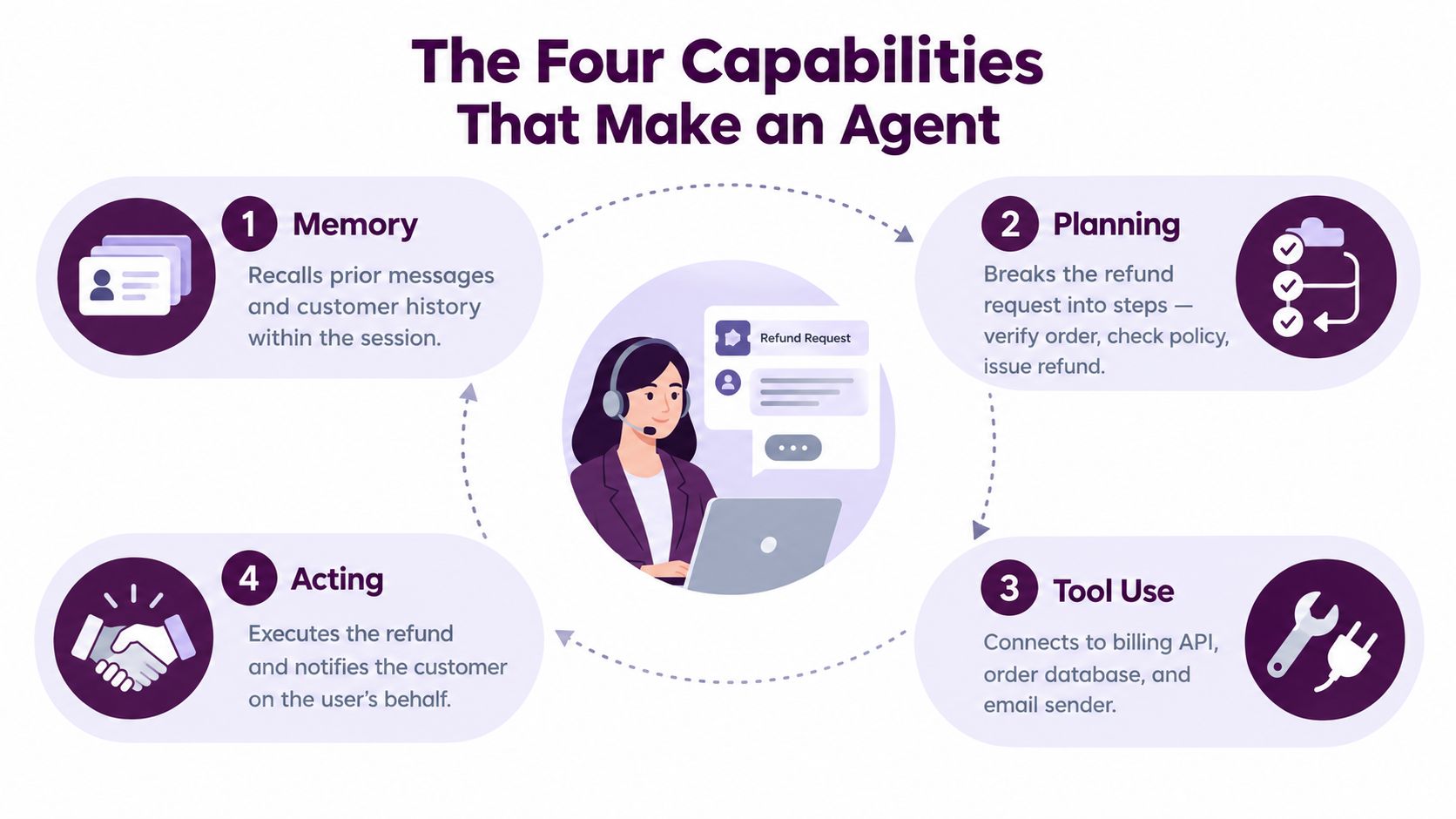
A practical comparison
| System | Starting point | Typical behavior | Main limitation |
|---|---|---|---|
| Chatbot | A prompt | Generates text, explanations, or suggestions | The user usually performs the next action |
| Automation | A predefined trigger and rule path | Executes the steps a developer or operator specified | It struggles when conditions change |
| AI agent | A goal and operating constraints | Chooses steps, uses tools, evaluates results, and reports back | It needs careful permissions and oversight |
The autonomy boundary isn't binary. Technical discussions increasingly describe agents through levels of autonomy. The 2026 agentic AI landscape described by Nylas distinguishes individual agents from agentic systems that coordinate multiple agents over longer tasks. It also describes chat agents as commonly operating at lower autonomy levels, while browser and enterprise agents can operate at higher levels when events trigger actions without prompt-by-prompt supervision.
That doesn't mean higher autonomy is automatically better. A fixed automation may be safer for a simple, high-volume process. An agent earns its place when the work requires interpretation, changing paths, several systems, and a clear handoff when the system reaches the edge of its authority.
Chatbots answer, automations follow scripts, agents pursue goals.
If you're comparing the models and providers behind these products, a practical comparison of OpenAI and Gemini can help you separate model capabilities from the larger question of workflow design.
The Four Capabilities That Make an Agent
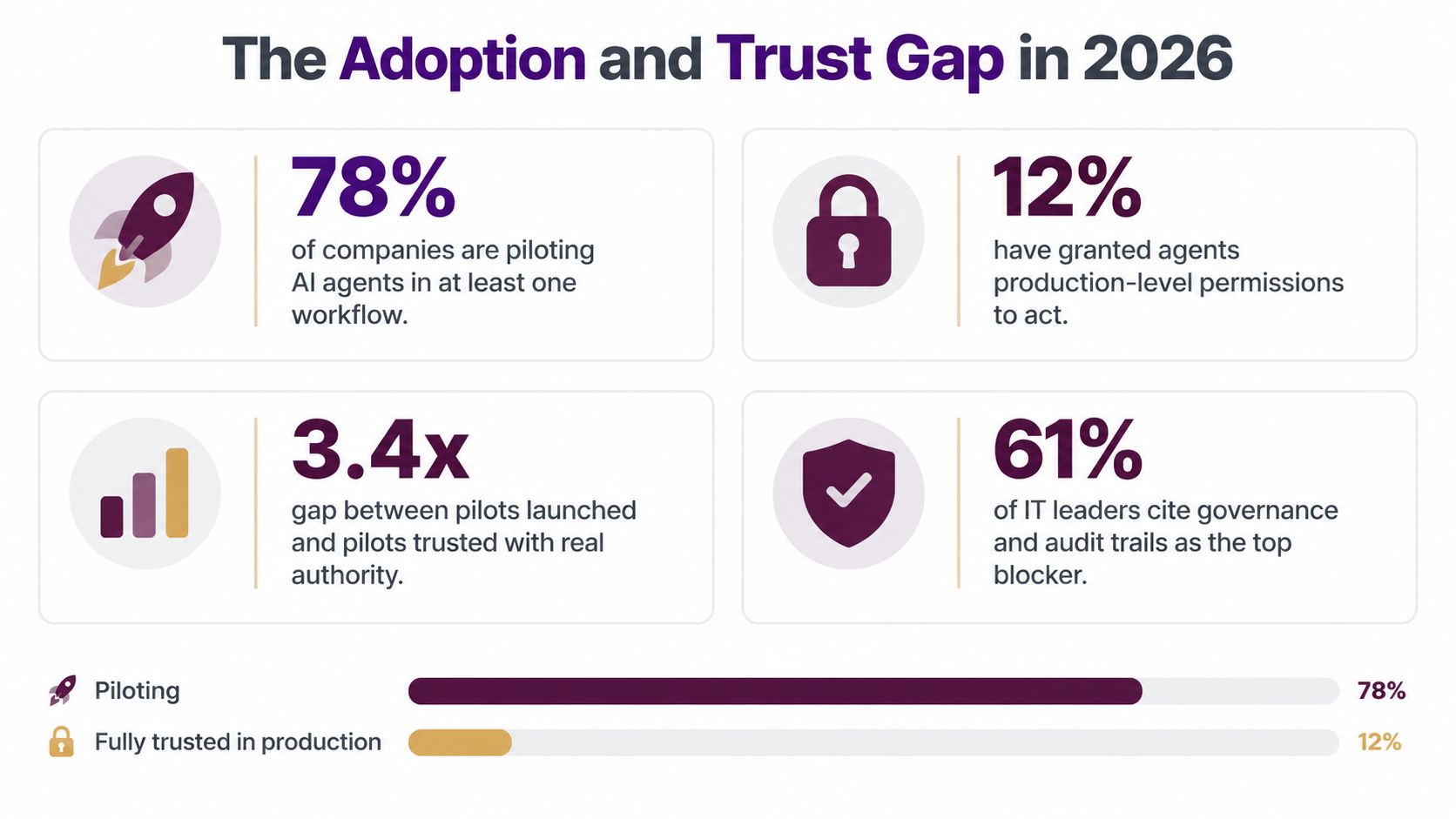
Consider a support channel in Slack. A customer asks for a refund, and the support lead tells the AI coworker to handle the ticket under the company's refund policy.
The first capability is memory. The agent can use the conversation, the customer's account history, and relevant company instructions as context. If the customer opened a similar ticket last month, the agent can account for that history rather than treating the new request as an isolated sentence. Memory doesn't mean the system should remember everything forever. It means the right context is available for the current decision and governed appropriately.
The second capability is planning. The agent turns “handle this refund” into a sequence: read the ticket, identify the order, verify eligibility, check the applicable policy, calculate the approved outcome, prepare the response, and post the confirmation. If the order number is missing, it may search permitted records or ask a human for the missing detail instead of continuing blindly.
Tools turn language into work
The third capability is tool use. The agent doesn't merely describe how a refund could be processed. It calls the helpdesk, order database, billing system, and Slack integration that the company has connected. Each tool should have a clear purpose and a restricted set of actions.
The fourth is acting on behalf of the user. The agent might be allowed to issue refunds within an approved limit, update the ticket, and notify the customer. A larger refund or an unusual policy exception can require human approval. That boundary turns autonomy into a controlled delegation rather than an unrestricted instruction to “do whatever seems right.”
Practical rule: Treat every capability as a trust question. Can the agent remember the right context, choose a defensible path, use the correct system, and stop when a human must decide?
A manager asks the same questions when delegating to a new hire. Does this person understand the background? Can they make a plan? Do they know which systems to use? Do they understand what they can approve and when to escalate? An agent needs those answers encoded in context, instructions, tools, permissions, and review points.
The distinction matters because adoption hasn't eliminated the operational risks. Capgemini found that only 46% of organizations had governance policies for generative AI, with adherence remaining low. The same research found that nearly six in 10 organizations planned to use AI as augmenting or autonomous collaborators within a year. Those figures describe a business environment moving toward delegation while still working out how to supervise it.
You can see the workflow pattern in this guide to AI agent workflow automation. The useful design question isn't “How do we make the agent sound human?” It's “What context, tools, and authority does it need to complete this job safely?”
<iframe width="100%" style="aspect-ratio: 16 / 9;" src="https://www.youtube.com/embed/T-U5-451T_w" frameborder="0" allow="autoplay; encrypted-media" allowfullscreen></iframe>How Real Teams Use AI Agents Every Day
A sales representative starts the morning with a prospect in mind. Instead of opening five tabs, they ask an agent in Slack to research the account, summarize recent company activity, draft outreach in the team's voice, and log the planned follow-up in Salesforce. The rep still decides whether the message feels right, but the research and administrative work no longer require separate handoffs.
Support uses a different version of the same pattern. An agent watches a Zendesk queue, groups related tickets, checks order details, and identifies which requests fall within policy. It can prepare or send a response where the rules are clear, while routing an unusual refund or an angry escalation to the right person with the relevant account history attached.
Operations teams often have work that is repetitive but not perfectly uniform. An agent can compare invoice records across an accounting system and a payment platform, identify mismatches, and produce a review list. It isn't replacing the finance owner's judgment. It removes the copying and comparison that makes that judgment slower.
The agent follows the work
Engineering has another natural fit. An agent can triage incoming bug reports, search GitHub issues for similar problems, inspect logs it is allowed to access, and prepare a draft pull request for an engineer to review. The engineer remains responsible for merging code and deciding whether the proposed fix belongs in production.
The same pattern appears in marketing and revenue operations. A team may ask an agent to collect campaign data, summarize meaningful changes, update a planning document, and flag an anomaly for investigation. The agent becomes useful because it moves information between systems and keeps the working context intact.
For teams evaluating supporting services, AI SEO services from AY Rank offer one example of how specialized AI work can sit alongside broader marketing workflows. The important design choice is to give the agent a defined job rather than a vague mandate to “run marketing.”
In each story, the agent lives close to the team's existing work. It holds context across several steps, acts through named tools, and hands off cleanly when judgment or accountability belongs to a person. That is what makes the coworker analogy useful. The system isn't a black box that replaces every application. It's a participant with a role.
The Adoption and Trust Gap in 2026
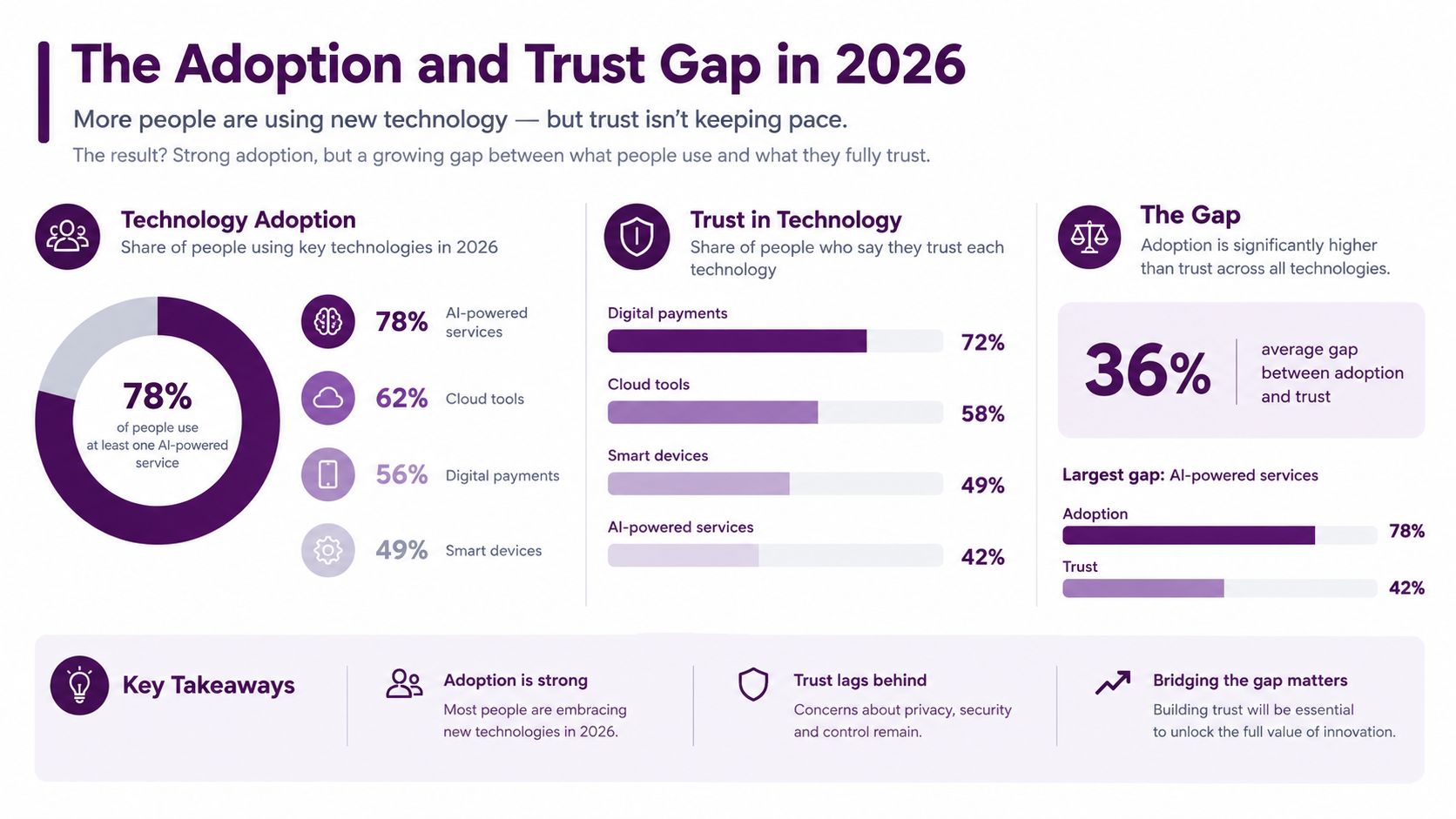
The market conversation can make AI agents sound fully deployed and widely understood. The available evidence presents a more cautious picture. Capgemini found that 14% of organizations had implemented AI agents at partial or full scale, while 23% were still piloting. That means many leadership teams are testing the concept without yet giving it broad authority over production workflows.
The barriers are practical, not theoretical. IBM identified concerns around data at 49%, trust at 46%, and skills shortages at 42%, as reported in the verified enterprise research summarized for this topic. Cloudera identified data privacy at 53%, legacy integration at 40%, and implementation costs at 39% as major barriers. These concerns explain why a promising demo can still fail an internal review.
Trust is a deployment condition
A founder deciding whether to connect an agent to Slack, Salesforce, or a help desk needs more than a model benchmark. They need answers to operational questions:
- Data boundaries: Which records can the agent read, and where can it store context?
- Authority: Which actions can it perform without approval?
- Traceability: Can the company reconstruct what it saw, decided, and changed?
- Recovery: What happens when a tool returns incomplete data or the agent makes a wrong assumption?
- Ownership: Who reviews performance and handles escalations?
The maturity path is easier to manage when treated as stages. A team starts with experimentation, moves to a permissioned rollout, and then scales only after logs, review procedures, and success criteria work in practice. The point isn't to suppress autonomy. It's to make autonomy proportional to the consequences of failure.
That approach also fits the technical definition. Autonomy grows as a system retains state, chooses actions, and works across tools with less prompt-by-prompt supervision. It should grow alongside controls, not ahead of them.
For a practical governance framework, use AI governance best practices to turn broad concerns into operating rules. Buyers aren't only asking whether an agent can complete a task. They're asking whether the company can explain and control what happened afterward.
Why Permissioned, In-Context Coworkers Win
The most appealing AI agent demo often has broad access and a simple promise: connect the model to the stack, let it decide, and watch the work disappear. That setup can be useful for exploration, but it's a poor default for production. A system with unrestricted tokens and a shared service account can't reliably express who authorized an action or whether the agent had more access than the requester.
A permissioned coworker takes a different approach. It works where the team already communicates, such as Slack, and connects to specific tools through explicit permissions. The agent may have read access to a CRM, write access to a task system, and no access to payroll records. It may draft an email freely but require approval before sending it.
What permissioned actually means
Permissioning isn't a single on or off switch. It can include:
- Scoped roles: The agent receives only the capabilities needed for its assigned work.
- System-level access: Read and write rights are set separately for Salesforce, Stripe, GitHub, or other tools.
- Approval thresholds: Low-risk actions can run automatically, while irreversible or sensitive actions pause for review.
- Rate and volume limits: The agent can't create an uncontrolled stream of records or messages.
- Audit trails: Every tool call, result, approval, and final action is recorded for investigation.
Compare two refund agents. The first has a broad billing token and a general instruction to resolve customer issues. The second is called from a defined Slack channel, can view the relevant Zendesk ticket, can check the order system, and can issue only policy-compliant refunds within its assigned authority. Anything outside those conditions goes to a human.
The second agent may appear less autonomous, but it is easier to deploy because its behavior is legible. A support manager can explain what it can do, where it can do it, and when it must stop. That clarity supports the same sales, support, and operations workflows described earlier.
The safest agent isn't the one with the most access. It's the one whose access matches the job.
An in-context coworker also reduces the burden on employees. People can ask for work in a Slack thread, receive the result there, and see the relevant handoff without maintaining another dashboard. For a deeper look at the controls behind this model, review AI access control.
The broader principle is simple: give the agent enough authority to finish a useful task, but not enough authority to redefine the task.
A Quick Checklist Before You Deploy an AI Agent
A founder or operations lead usually doesn't need to automate the entire company to learn whether agents will help. Choose one real workflow, then use five gates before handing over authority. Consider low-risk refund routing in Slack. The agent receives a request, checks the order and policy, routes eligible cases, and asks a support owner to approve anything unusual.
Start with the workflow
Choose repeatable work. The best first process has enough volume to justify setup and enough structure to make errors visible. Low-risk routing, information gathering, and draft preparation are easier starting points than unrestricted financial decisions.
Name the system of record. Decide where the truth lives. If the agent checks order status in three competing spreadsheets, it won't have a reliable basis for action. Connect it to the approved system, and give it the narrowest access that completes the task.
Define success and rollback. Write down what a good result looks like before launch. For refund routing, that could mean a correctly classified ticket, a clear reason attached to the handoff, and an easy way to reverse or correct an erroneous update.
Assign a human owner. Someone must review exceptions, update the instructions, and decide whether the agent's authority should expand. An audit log should show which request started the work, which tools the agent used, and what it changed.
Keep it where work happens. If the support team lives in Slack, the agent should respond in the relevant channel or thread. If the process belongs in Salesforce or Zendesk, the handoff should be visible there too. A separate tab that nobody checks creates another operational gap.
Print the checklist and use it in a rollout review:
- Workflow: Is the task frequent, bounded, and affordable to correct?
- Data: Does the agent use approved records and least-privilege access?
- Outcome: Can the team measure success and undo mistakes?
- Owner: Is a named person responsible for review and escalation?
- Location: Does the agent fit the team's existing tools and habits?
If the answer to each question is clear, start with a limited rollout and review the logs before expanding authority. Supercenter provides AI coworkers that operate inside Slack and Microsoft Teams, connect to business tools through OAuth, retain company-specific context, and record actions in an audit trail. Visit Supercenter to see how that model can support a permissioned AI agent workflow.
- ai agent meaning
- what is an ai agent
- ai agents
- autonomous agents
- ai coworkers