Blogfield notes
10 Best Workflow Automation Tools for SaaS Teams
The tool with the most connectors isn't automatically the best workflow automation tool. A SaaS team can connect thousands of apps and still end up with brittle flows, unclear ownership, runaway usage costs, and no safe way to test an AI driven change before it reaches production
The tool with the most connectors isn't automatically the best workflow automation tool. A SaaS team can connect thousands of apps and still end up with brittle flows, unclear ownership, runaway usage costs, and no safe way to test an AI-driven change before it reaches production.
The better question is where work happens and who should own the automation. Is the team already living in Slack and asking for help in threads? Does RevOps need no-code self-service, or does engineering need visual orchestration with code-level control? Are workflows simple and deterministic, or should an AI coworker carry company context across CRM, billing, documents, and support tools? Security also changes the shortlist. Regulated teams may need VPC or on-prem deployment, while a small SaaS team may care more about fast rollout and predictable spend.
The market is crowded. ToolRadar tracks 1,000 workflow automation tools, so a feature checklist won't narrow the decision very well. This comparison ranks the strongest options by operating model, including Slack-native delegation, no-code self-service, visual orchestration, enterprise iPaaS governance, developer-built integrations, and self-hosting. For another perspective on AI-led automation, compare this list with Agentable's automation comparison.
Table of Contents
- 1. Supercenter
- 2. Zapier
- 3. Make
- 4. Workato
- 5. Microsoft Power Automate
- 6. MuleSoft
- 7. Boomi
- 8. Tray.ai
- 9. n8n
- 10. Pipedream
- Top 10 Workflow Automation Tools, Feature Comparison
- Choose the Automation Model You Can Govern
1. Supercenter
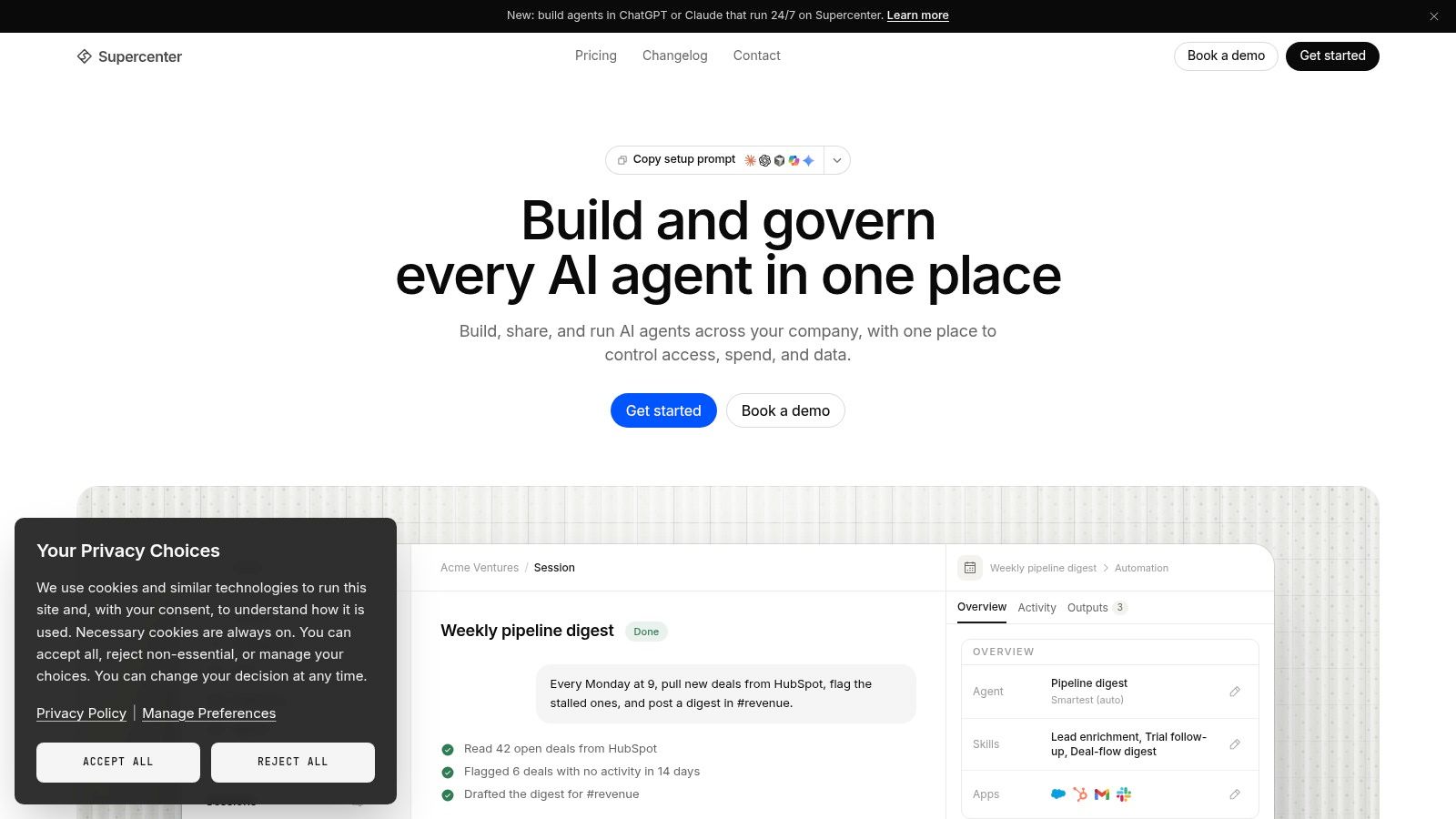
Supercenter is the most compelling option when automation should happen inside the conversation where work already starts. Instead of sending people to a separate builder, teams can @mention an AI coworker in Slack or Microsoft Teams, describe the outcome, and receive the completed work back in the thread. That makes it a different operating model from a traditional trigger-and-action platform.
A coworker, teams often start with Frida, can work across 2,000+ connected business tools, including HubSpot, Stripe, Salesforce, Google Drive, Notion, GitHub, ERPs, and legacy or on-prem systems through custom connectors. The useful distinction is persistence. The coworker keeps memory, an inbox, reusable skills, and playbooks covering rules such as proposal style, pricing policies, brand voice, or expense approval. A workflow can therefore apply company standards without requiring someone to restate them every time.
Why the operating model matters
Supercenter fits work that crosses several systems and still needs human context. A sales leader can ask for a pipeline digest, have a proposal generated and filed, or flag a usage anomaly to the right owner. Operations teams can match invoices to ledgers, chase overdue payments, and post updates without stitching together separate handoffs.
The platform also supports proactive work. Saved agents can run on schedules or triggers, compile morning briefs, monitor pipelines, and surface changes with owner-specific context. That's closer to delegated operational work than a stateless chatbot answering isolated questions.
Practical rule: Use Supercenter when the outcome matters more than the individual app steps, but keep permissions and approval boundaries explicit.
Trust controls are unusually central to the model. Actions run within the requester's permissions, every action has a replayable audit trail, model choice and spend caps are configurable, EU data residency is the default, and Enterprise plans add SSO, custom roles, revocable delegation, and the option to host runtimes inside your infrastructure. The trade-off is that usage-based pricing requires cost modeling, and custom connectors or strict enterprise policies may need IT involvement.
Start with Supercenter if your SaaS team wants governed AI delegation across Slack, rather than another dashboard full of disconnected automations.
2. Zapier
Zapier remains the practical default for teams that want to turn an idea into a working automation quickly. Its strength is breadth, with 9,000+ app integrations and a visual builder that supports branching, looping, webhooks, and code steps. That long-tail coverage is valuable when a SaaS stack includes a niche form tool, billing product, CRM extension, or internal service that larger iPaaS platforms don't support cleanly.
The operating model is no-code self-service. Marketing, RevOps, customer success, and operations teams can create and maintain flows without waiting for engineering. A lead can trigger CRM creation, notifications, enrichment, and follow-up actions in one sequence. Admin controls in the Admin Center help larger teams manage users and governance, while SDK and partner options give developers an escape hatch when a standard action isn't enough.
The friction appears when workflows become chatty. Task-based metering counts activity across normal, AI, and code steps, so a flow with many branches or repeated updates needs careful design. A simple automation can stay easy to understand, but deep enterprise integration patterns, complex lifecycle management, and tightly controlled deployment are areas where an iPaaS may fit better.
For a plain-language explanation of the category, see what workflow automation means in practice. Zapier is the choice when speed to value beats architectural elegance. Define failure alerts, document who owns each Zap, and review task consumption before allowing every team to build freely.
3. Make
Make is built for teams that have outgrown simple two-step automations but don't need a full enterprise integration department. Its scenario canvas gives operators a visual way to model routers, iterators, filters, transformations, webhooks, schedules, retries, and error paths. That makes it especially useful for data-heavy SaaS workflows where the difficult part isn't connecting two apps, but deciding what happens across multiple conditions.
The platform supports 1,500+ connectors, along with generic HTTP tools for systems that aren't covered by a native module. A RevOps team might pull records from a CRM, transform fields, split the data by region, update several destinations, and send an exception report when one branch fails. Make exposes enough detail to help operators understand what happened instead of treating the workflow as a black box.
Where Make earns its place
Make's best fit is visual orchestration with granular control. Builders can inspect bundles, trace individual routes, and handle errors close to the step that caused them. That visibility is useful during rollout because teams can see whether bad input, authentication, rate limits, or business logic caused a failure.
The downside is the learning curve. New users need to understand how data moves through modules, how iterators expand records, and how credits are consumed. Make's credits model unifies usage across operations and AI tokens, with overage bundles and auto-purchase options. That can be flexible, but finance and operations owners should model high-volume scenarios before switching on automatic purchasing.
Make works well when a technical operator wants more control than Zapier offers without adopting enterprise iPaaS processes. It works less well when the business needs a conversational AI coworker or when nontechnical users need to modify complex scenarios without training.
4. Workato
Workato is aimed at organizations that want automation to operate as a central enterprise integration program, not as a collection of departmental shortcuts. Its recipes support event-driven and scheduled integrations, while enterprise RBAC, audit controls, environments, testing, and deployment flows provide the structure needed when workflows affect finance, customer data, or core operations.
The platform is strong across ERPs, CRMs, databases, and on-prem systems. Bulk operations and on-prem agents help it handle integrations that go beyond lightweight SaaS handoffs. A centralized automation team can standardize patterns, separate development from production, and give departments reusable components instead of letting every team create its own undocumented version of the same process.
This is also where Workato can feel heavy. Pricing is sales-quoted and typically higher than SMB-oriented tools, and small teams may spend more time designing governance than building the workflow itself. Its usage-based billing framework means buyers should bring real transaction volumes and failure scenarios to the commercial discussion rather than accepting a generic estimate.
The best Workato rollout starts with ownership, environments, and deployment rules, not with a long list of recipes.
For a deeper look at the difference between task automation and coordinated business processes, see these workflow orchestration tools. Workato is a strong choice for cross-department programs where reliability, lifecycle control, and integration standards justify the implementation effort. It's overkill for a founder who needs to move form submissions into a CRM this afternoon.
5. Microsoft Power Automate
Power Automate makes the most sense when Microsoft 365, Teams, Dynamics, Azure, and Entra ID already define how the company works. Cloud flows handle digital processes, while desktop RPA covers tasks that still require interaction with a Windows application or a system without a useful API. That combination gives Microsoft-first organizations one place for both API-based automation and UI-based automation.
A finance team can automate file movement through SharePoint, approvals in Teams, and updates to Dynamics. An operations team can combine standard and premium connectors with custom connectors, process mining, AI Builder, and Copilot-assisted creation. Centralized administration, DLP policies, and environment controls help IT set boundaries across business-built flows.
The main difficulty isn't capability. It's the licensing matrix. Premium connectors, desktop automation, environments, and different product entitlements can make the final cost and access model difficult to explain to users. Non-Microsoft connectors may also vary in depth, so test the exact actions needed rather than assuming that a connector's presence guarantees complete coverage.
Power Automate is a good fit for Microsoft-centered governance with business-user participation. It's less attractive when the SaaS stack is mostly outside Microsoft or when the team wants a neutral integration layer without platform-specific licensing decisions. Build a small pilot with the actual identities, data-loss policies, and connector permissions that production will use.
6. MuleSoft
MuleSoft is designed for organizations that treat integration as an API and architecture discipline. Anypoint Platform combines API lifecycle management, integration runtimes, automation, observability, and security, with hybrid deployment options including VPC and private spaces. That makes it a serious candidate for mission-critical systems that must operate across cloud and on-prem environments.
The Salesforce relationship is a practical advantage for companies already invested in that ecosystem. MuleSoft can connect Salesforce processes with external applications while preserving API governance and controlled access. Composer and automation SKUs also provide more business-friendly paths for use cases that don't require every operator to work directly in the full platform.
The cost of enterprise-grade control
MuleSoft's strengths require specialized expertise. Teams need people who understand API design, runtime management, deployment patterns, security, and observability. Pricing is complex and generally enterprise-level, with a unified Mule Credits consumption model spanning capabilities. That model can be useful for managing shared capacity, but it makes a proof of concept and workload forecast essential.
This is not the first tool to choose for a small SaaS team automating notifications or routine CRM updates. It becomes compelling when integration failures carry serious operational consequences, multiple systems need a governed contract, or hybrid deployment is required. In those cases, an API integration platform should be evaluated as infrastructure, not just as a workflow builder.
7. Boomi
Boomi sits between accessible visual automation and mature enterprise integration. It supports application and data integration, process orchestration, API management, hybrid agents, and connectivity to on-prem systems. That makes it useful for companies whose SaaS stack still has important data or processes running behind the firewall.
Its commercial model is worth attention. Alongside enterprise editions, Boomi offers a self-service, usage-based Pay-As-You-Go option, which can reduce the commitment required to begin testing. A 30-day free trial is also available for evaluation, so teams can validate connector behavior, data mappings, and operational fit before building a large program.
Boomi's visual approach can help integration teams move quickly, but advanced governance and software development lifecycle patterns may require higher tiers. Consumption tuning matters at volume, particularly when a workflow processes many messages or repeatedly polls systems. Buyers should test realistic payloads and failure paths, not only a clean demonstration flow.
Boomi is a practical choice for organizations that need hybrid connectivity and mature enterprise connectors but want more than a developer-only platform. It won't remove the need for architecture decisions. Decide which system owns each data object, how retries avoid duplicates, and who responds when an agent or integration stops processing.
8. Tray.ai
Tray.ai targets teams that need low-code usability without cutting developers out of the process. Its builder supports TypeScript, OpenAPI imports, managed credentials, retries, queueing, logs, and debugging. That combination suits revenue, customer success, finance, and IT teams that share automation ownership but don't all work at the same technical level.
The platform's operating model is developer-assisted self-service. A business operator can assemble a workflow visually, while an engineer can add TypeScript or import an OpenAPI definition when a connector's standard actions aren't enough. A unified credential store helps centralize access, and audit trails provide a clearer operational record than a collection of scripts scattered across repositories.
Tray.ai also presents a strong compliance posture, including SOC 1, SOC 2 Type 2, HIPAA, and GDPR support. Those claims should still be checked against your required contractual terms, data flows, and deployment model. Connector depth varies by domain, so teams should test the exact systems involved, especially around bulk actions, custom fields, pagination, and error handling.
Pricing isn't fully public and is typically sales-quoted. That can make early comparison harder, but it also means buyers can scope a package around actual departments and usage. Tray.ai is a good shortlist candidate when a SaaS organization wants more governance than a basic no-code tool and more accessibility than a fully code-first integration platform.
9. n8n
n8n is the option for teams that want to own more of the runtime. It offers visual workflows, code nodes, HTTP and generic nodes, managed cloud, and self-hosting on your own infrastructure. Engineering and operations teams can use it to connect APIs, add custom logic, and deploy workflows in environments that commercial SaaS-only products may not support.
The self-hosting story is the main reason to choose it. A team with the right DevOps ownership can control infrastructure, network placement, and deployment decisions, including highly restricted environments. Enterprise features such as SSO, SAML, LDAP, RBAC, and environments add structure when several teams share the platform.
Flexibility comes with an operating bill
n8n can be cost-effective at scale compared with per-task tools, particularly when workflows run frequently and the team can manage the platform itself. But infrastructure isn't free operationally. Someone must handle upgrades, secrets, backups, monitoring, queue behavior, incident response, and capacity planning. Some enterprise features are gated behind paid tiers, so the open-source entry point shouldn't be confused with a complete enterprise operating model.
The builder is friendly to technical users but less forgiving for a purely no-code audience. JavaScript or API knowledge becomes valuable as soon as workflows move beyond common integrations. Choose n8n when deployment control and extensibility outrank convenience. If nobody owns the runtime, managed cloud is safer than self-hosting by default.
10. Pipedream
Pipedream is built for developers who need an integration layer for traditional automation and agentic workflows. It provides managed OAuth, hosted connect flows, token storage, APIs, triggers, and tools, so engineering teams can ship integrations without building every authentication flow themselves.
The platform includes 10,000+ prebuilt tools and triggers and 3,000+ APIs, according to its product positioning. It also offers an MCP remote server so agents can discover and call tools on behalf of individual users. That makes Pipedream particularly interesting for SaaS products that are embedding action-taking agents rather than only automating internal tasks.
Pipedream's governance features include audit and revocation controls, with compliance support covering SOC 2, GDPR, and HIPAA. Those controls matter when an agent can act with a user's connected credentials. Your team still needs to define which tools an agent may call, which actions require confirmation, and how revoked access propagates through active workflows.
The trade-off is audience. Pipedream is much more builder-oriented than Zapier or Make, and production pricing and plans require a sales conversation. Free developer access can help teams validate an integration before production rollout, but the actual evaluation should include deployment ownership, runtime behavior, error recovery, and the developer experience of maintaining tool definitions over time.
Top 10 Workflow Automation Tools, Feature Comparison
| Product | Core features | UX & Quality | Price & Value | Target audience | Unique selling points & Trust |
|---|---|---|---|---|---|
| Supercenter 🏆 | Slack/Teams-native AI coworkers, 2,000+ OAuth apps, persistent memory & inbox | Responds in-thread, proactive briefs, ★★★★★ | Start free + pay-as-you-go; Enterprise plans; per-agent caps 💰 | 👥 Founders, RevOps, Support, Eng, Enterprise pilots | Persistent agents, replayable audit trails, per-user scoping, EU data residency, governance ✨ |
| Zapier | No-code Zaps, 9,000+ integrations, visual editor | Fast to launch, simple UX, ★★★★☆ | Task-based metering; can scale on chatty flows 💰 | 👥 SMBs, non-dev teams, ops | Broad long-tail connector coverage, quick time-to-value ✨ |
| Make (Integromat) | Visual scenario builder, routers/iterators, 1,500+ connectors | Powerful control, steeper learning, ★★★★☆ | Credits-based model, competitive for complex flows 💰 | 👥 Ops/automation builders, power users | Granular transforms, rich observability, credits flexibility ✨ |
| Workato | Enterprise recipes, RBAC, environments, on-prem agents | Mature SDLC & governance, ★★★★☆ | Sales-quoted, enterprise pricing (higher) 💰 | 👥 Central automation teams, large enterprises | Strong governance, lifecycle management, cross-dept scale ✨ |
| Microsoft Power Automate | Cloud flows + desktop RPA, native M365/Dynamics connectors | Best for MS ecosystems, mixed API/UI automation, ★★★★ | Complex licensing & premium connector rules 💰 | 👥 Microsoft-centric orgs, IT & business automators | Native M365/Teams integration, RPA + AI Builder/Copilot ✨ |
| MuleSoft (Anypoint) | API lifecycle, hybrid runtimes, API-first integrations | Enterprise-grade, observability & security, ★★★★ | Complex, enterprise-level pricing 💰 | 👥 Large enterprises, API-led programs | Hybrid/on‑prem support, robust API governance ✨ |
| Boomi | Visual integrations, API mgmt, hybrid agents | Mature platform, enterprise UX, ★★★★ | Pay‑As‑You‑Go option + trials; consumption tuning needed 💰 | 👥 Enterprises needing hybrid connectivity | Long-standing connector library, hybrid deployments ✨ |
| Tray.ai (Tray.io) | Low-code builder + TypeScript, 700+ connectors | Developer-friendly, low-code ergonomics, ★★★★ | Typically sales-quoted, enterprise-focused 💰 | 👥 Revenue/ops/IT teams, devs | Low-code + code balance, strong governance & debug tools ✨ |
| n8n | Open-source workflows, self-host or cloud, code nodes | Highly flexible, requires DevOps, ★★★ | Cost-effective at scale; paid cloud tiers 💰 | 👥 Engineering/DevOps teams, privacy-focused orgs | Self-host/air-gapped option, extensible OSS ecosystem ✨ |
| Pipedream | Dev-centric integrations, managed OAuth, 10k+ tools/APIs | Fast for builders, developer-first UX, ★★★★ | Free dev access; production tiers & sales for scale 💰 | 👥 Developers building agentic workflows & integrations | Managed auth, huge API/tool library, agent orchestration features ✨ |
Choose the Automation Model You Can Govern
The workflow automation market is no longer a niche corner of SaaS. Mordor Intelligence estimates the market at USD 23.77 billion in 2025, with a projection of USD 40.77 billion by 2031 and a 9.41% CAGR for 2026 to 2031. The same market data identifies BFSI as holding 23.62% of market share in 2025, a useful reminder that automation platforms increasingly sit inside serious operational and compliance environments. See the Mordor Intelligence workflow automation market estimate for the underlying forecast.
That growth doesn't mean every team needs an enterprise iPaaS. It means buyers should stop treating connector count as the decision. Independent IT automation research says 50% of organizations plan to invest in workload automation, scheduling, and orchestration platforms in 2026, while 69% want capabilities such as self-service portals, modern interfaces, SaaS delivery, and AI workflow creation. The same research reports that Teams and Slack are interaction surfaces for 27% of organizations, while native platform UIs rank at 21%, which supports a simple conclusion: automation adoption improves when work appears in the tools people already use. Read the Global State of IT Automation report for that survey data.
Choose Supercenter when Slack-native AI delegation, persistent company context, and governed cross-tool execution are central. It fits teams that want an AI coworker to carry out work across CRM, billing, documents, support, and internal systems rather than asking employees to maintain every step manually.
Choose Zapier or Make when self-service and fast rollout matter most. Zapier is easier for straightforward departmental automation and broad app coverage. Make is better when operators need detailed visual logic, transformations, routers, and error paths.
Choose Workato, Power Automate, MuleSoft, Boomi, or Tray.ai when automation is becoming an enterprise integration program. The right choice depends on your existing ecosystem. Microsoft-heavy organizations will usually favor Power Automate. API-first and hybrid programs may lean toward MuleSoft. Workato, Boomi, and Tray.ai occupy different points between governance, accessibility, and integration depth.
Choose n8n or Pipedream when engineering ownership is part of the plan. n8n gives teams more deployment control and a strong self-hosting route. Pipedream is better for developers building product integrations, OAuth flows, and agent-facing tools.
Don't roll out the winner everywhere on day one. Pick one representative workflow, document every permission it needs, define the human approval points, test duplicate events and failed calls, and record who owns the integration after launch. Then model usage with realistic volumes, including retries and AI calls. The 2025 Enterprise Automation Index reported that 73.2% of companies increased automation investment, yet 61.3% said their tools were underutilized, while fewer than 6% had achieved end-to-end autonomous automation in a core process. Those findings point to an uncomfortable truth: buying another tool won't fix fragmented ownership or weak orchestration. Review the Enterprise Automation Index 2025 for the benchmark details.
The best workflow automation tools are the ones your team can explain, monitor, secure, and change without fear. If a workflow has no clear owner, no failure path, and no cost model, it isn't ready for scale. For teams exploring robotic process automation alongside API workflows, this guide to scraping for robotic process automation is a useful adjacent reference.
Supercenter gives SaaS teams AI coworkers that work inside Slack and Microsoft Teams, execute tasks across 2,000+ connected tools, remember company rules, and return finished work in the thread. If you want governed cross-tool delegation instead of another collection of disconnected automations, visit Supercenter and test the operating model with a real workflow.
- best workflow automation tools
- workflow automation
- SaaS tools
- Slack automation
- business integrations