Blogfield notes
8 Anomaly Detection Examples for Smarter Operations
A revenue problem rarely arrives with a flashing warning. A few deals sit in negotiation longer than expected, payment failures accumulate, and customer usage softens before anyone notices a pattern. By the time the dashboard makes the problem obvious, the team is already dealing
A revenue problem rarely arrives with a flashing warning. A few deals sit in negotiation longer than expected, payment failures accumulate, and customer usage softens before anyone notices a pattern. By the time the dashboard makes the problem obvious, the team is already dealing with lost momentum, preventable churn, or an incident that customers have reported first.
An anomaly detection example turns that vague concern into an operating workflow. It starts with a business signal that moves away from its expected baseline, then adds context about what may have caused the change. An AI coworker can flag the pattern in Slack, identify the likely owner, and attach supporting records from tools such as HubSpot, Stripe, product analytics, and support systems. The alert can make the next decision faster, but it shouldn't make every decision automatically.
The examples below use the same practical frame: what changed, what may explain it, what the Slack alert should say, who owns the response, and what happens next. The point isn't to chase every unusual number. It's to find deviations that deserve a coordinated business response.
Table of Contents
- 1. Revenue Pipeline Anomaly Detection in HubSpot
- 2. Customer Payment and Billing Anomaly Detection in Stripe
- 3. Customer Usage and Engagement Anomaly Detection
- 4. Website and Application Performance Anomaly Detection
- 5. Expense and Spend Anomaly Detection
- 6. Customer Support Ticket Volume and Sentiment Anomaly Detection
- 7. Email Deliverability and Campaign Performance Anomaly Detection
- 8. Account Health Score and Churn Risk Anomaly Detection
- Anomaly Detection: 8 Use Cases Compared
- Turn Anomalies Into Assigned Next Steps
1. Revenue Pipeline Anomaly Detection in HubSpot
A sales pipeline can look healthy in total while individual deals stop moving. The useful signal isn't that a deal has been open for a long time. It's that the deal has stayed in a stage longer than comparable opportunities with a similar deal amount, company size, sales motion, or rep experience.
HubSpot provides the underlying events: stage changes, activity history, forecast category, amount, close date, and owner. An anomaly layer can compare the current progression with historical patterns and flag deals that are stalling, accelerating unexpectedly, or skipping the behavior normally associated with a healthy opportunity. Teams working on revenue intelligence software can use that signal alongside win and loss history rather than treating pipeline velocity as an isolated metric.

The likely causes
A stalled negotiation might indicate procurement friction, missing security documentation, weak champion engagement, or a rep who hasn't created a concrete next step. It might also be legitimate. Enterprise deals often move differently from smaller deals, and a new sales rep may need a different baseline while learning the process.
The detector should therefore stratify the comparison. A deal's amount and company size matter, as does whether the rep is new or experienced. Combining stage duration with win and loss outcomes helps separate a normal long cycle from a pattern that deserves coaching.
Practical rule: An anomaly should create a review task before it creates an escalation. A manager needs to confirm that the deal is genuinely at risk.
The Slack alert and response
A useful AI coworker alert might read:
Pipeline velocity anomaly: Three enterprise opportunities have remained in negotiation longer than comparable deals. Likely drivers include missing security review and no recorded buyer meeting. Owner: revenue operations. Review the linked HubSpot timelines and assign a next step before changing the forecast.
The owner is usually the sales rep for the immediate action, with the sales manager or revenue operations lead responsible for pattern-level follow-up. The rep should check the latest call notes, confirm the buyer's objection, and record a dated next step. The manager should look for a repeatable coaching issue, not pressure every deal into an artificial stage change.
Daily Slack summaries should be organized by revenue impact and confidence, not by raw alert count. The automation can gather records and rank anomalies, but a human should confirm forecast changes, reassignment, and coaching decisions.
2. Customer Payment and Billing Anomaly Detection in Stripe
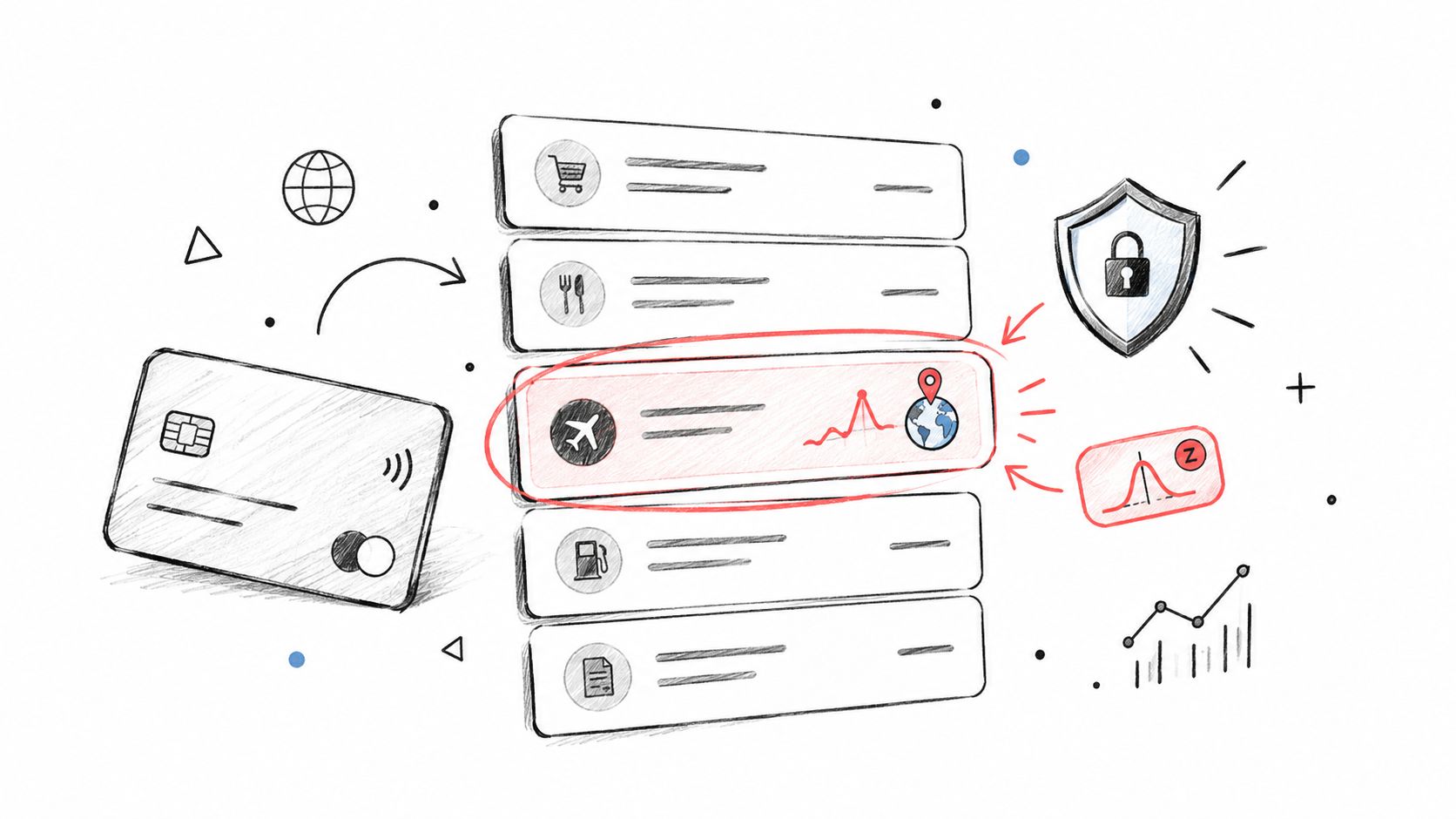
Payment data carries both financial risk and customer health signals. A sudden transaction from an unfamiliar geography may suggest account compromise, while a series of failed renewals may indicate an expired card, a billing configuration problem, or customer distress. Stripe can provide payment status, invoice events, refunds, chargebacks, customer history, and subscription changes for a contextual baseline.
The detector should compare customers with similar commercial profiles. A threshold that makes sense for a small self-serve account may be useless for a large B2B customer, so customer segment, MRR cohort, industry, merchant category, and normal billing cycle should influence the decision. A geographic change also needs context. A traveling executive, a new office, or an approved payment entity can look suspicious without being fraudulent.
Three alert paths work better than one
Not every unusual payment should be blocked. A practical setup separates anomalies into three queues:
- Immediate block: Use for strong fraud indicators that meet an approved security rule, with a security or payments owner responsible for review.
- Review queue: Use for suspicious combinations that need customer or account verification before action.
- Notification only: Use for unusual but plausibly legitimate activity, such as a new geography or an irregular invoice payment.
A Stripe anomaly becomes more useful when it joins CRM and support context. A payment spike combined with unusual login activity is more concerning than a payment spike alone. Repeated failures combined with a recent support complaint may call for customer success outreach rather than a fraud response.
The Slack alert and response
A good alert includes the transaction context without exposing unnecessary sensitive information:
Billing anomaly: Payment behavior differs from this account's normal pattern. Stripe shows a new payment geography and an unusual transaction sequence. No automatic block applied. Owner: payments operations. Review the Stripe customer timeline, recent login activity, and open support tickets.
The payments owner verifies the event, applies the approved action, and records the decision in the Slack thread for an audit trail. Finance or customer success can then handle legitimate payment recovery. Tools that support invoice management automation can assist with follow-ups, but account locking, refund decisions, and compliance-sensitive actions should remain subject to explicit human approval unless the rule is already authorized.
3. Customer Usage and Engagement Anomaly Detection
A customer doesn't always announce churn risk. Often, the account continues logging in while advanced features disappear, important workflows become less frequent, or the number of active users falls. A product analytics anomaly can expose that change before a renewal conversation turns into a cancellation request.
The baseline must reflect the customer's lifecycle. Trial users, onboarding accounts, early customers, and mature customers have different expected behavior. Comparing them all to one average creates noise. A mature account using a product less frequently than a new trial isn't automatically unhealthy, and a new customer with high activity may still be struggling if the activity comes from repeated setup attempts.
Pair usage with customer context
Usage drops become actionable when they connect to commercial and service data. A customer using fewer features while support tickets rise may be experiencing a product issue. A usage drop without support activity could indicate seasonal work, a change in internal priorities, or a natural contraction. An account still logging in but avoiding core features may need enablement rather than a generic check-in.
Customer success should prioritize by account value, renewal timing, strategic importance, and the strength of the evidence. A product analytics signal shouldn't automatically create a discount offer or a renewal escalation.
A usage anomaly is a reason to investigate the customer's workflow, not proof that the customer is unhappy.
The Slack alert and response
An AI coworker can combine product analytics with HubSpot and the support system:
Engagement anomaly: Account usage has declined across core workflows, while recent support activity mentions setup friction. Owner: customer success. Review the product timeline and open tickets, then choose between a training session, a product escalation, or a normal check-in.
The customer success owner should contact the account with a specific observation, not a vague message asking whether everything is going well. The product manager should receive a separate aggregated view if multiple accounts show the same feature-level decline. That distinction matters. One account may need coaching, while a repeated pattern may indicate confusing UX or an unhelpful onboarding sequence.
Teams exploring customer intelligence platforms should treat the alert as a cross-system decision aid. The automation can assemble the evidence and suggest a priority. The human still decides what the customer needs.
4. Website and Application Performance Anomaly Detection
A checkout service can slow down for several minutes before error rates cross an outage threshold. That pattern may reflect a recent deployment, an inefficient database query, a background job, a configuration change, or an unexpected traffic source. Performance monitoring becomes useful when it connects the unusual metric to the likely cause and the person who can act.
SRE teams should maintain separate baselines for weekdays, weekends, batch windows, planned maintenance, and known campaigns. A CPU increase during a scheduled data job may be expected, while the same increase during a quiet period deserves investigation. Static thresholds still catch absolute limits. Anomaly detection identifies unusual behavior before a fixed boundary is reached. The history of anomaly detection tests describes this broader shift from measuring normal behavior to monitoring unusual events across operational systems.
Why deployment conditions matter more than a clean score
Industrial inspection research shows why results from controlled data do not automatically transfer to production. A 2025 survey reports strong detection performance on a standard benchmark in controlled settings (survey of industrial anomaly detection). A separate CVPR 2025 real-world benchmark tests detectors under changing conditions. Software monitoring faces similar shifts through new releases, traffic patterns, feature flags, infrastructure changes, and incomplete telemetry.
Validate the detector against those operating conditions, then connect its output to deployment records, logs, traces, and customer impact. An isolated latency spike is a lead. A latency spike after a release, accompanied by checkout errors and support tickets, is an incident candidate.
An AI coworker can post:
Performance anomaly: Checkout latency is rising on the payments service after the latest deploy. Owner: on-call SRE. Flag the service, attach the last deploy SHA and trace ID in the Slack thread, then confirm rollback criteria before any auto-remediation.
The on-call engineer reviews the evidence and decides whether to roll back, inspect a query, pause a job, or continue observing. Auto-remediation fits narrowly defined conditions, such as a canary rollback after a confirmed combination of deployment and customer-facing errors. It should not trigger for every unusual metric.
For a broader early warning trend analysis workflow, connect detection with diagnosis. The alert should assemble the evidence. The engineer still confirms cause, customer impact, and the response.
<iframe width="100%" style="aspect-ratio: 16 / 9;" src="https://www.youtube.com/embed/UW7aT25Mbng" frameborder="0" allow="autoplay; encrypted-media" allowfullscreen></iframe>5. Expense and Spend Anomaly Detection
Finance teams often discover spend problems during reconciliation, after duplicate subscriptions, personal purchases, or vendor price changes have already persisted. Anomaly detection moves part of that review closer to the transaction. It can compare expenses by vendor, cost center, department, employee role, contract terms, and approval history.
The signal might be a duplicate invoice, a new vendor that resembles an existing one, a category mismatch, or a gradual change in unit pricing. A department's spend can rise for a legitimate reason, such as hiring or a new project, so peer comparison and HR context matter. A new manager may have a different travel pattern, and that shouldn't automatically be treated as misconduct.
Make the policy machine-readable
An AI coworker needs explicit rules to classify an expense. Useful policy context includes approved vendors, allowed categories, cost centers, approval levels, and exceptions. Without that memory, the system can flag unusual activity but can't distinguish a policy violation from an authorized exception.
A sensible workflow uses different actions by severity:
- Policy-verified items: Route low-risk expenses through normal approval when the vendor, category, and amount match policy.
- Needs finance review: Create a Slack task when the evidence is incomplete or the transaction conflicts with a known pattern.
- Potential control issue: Assign the finance owner and preserve the records when the anomaly suggests duplicate payment, unauthorized use, or vendor manipulation.
The Slack message should make the evidence inspectable:
Spend anomaly: An invoice resembles an existing vendor charge and differs from the negotiated purchasing pattern. Owner: accounts payable. Review the invoice records, contract terms, and prior approval before payment release.
Finance should decide whether to reject, recover, approve, or escalate. A monthly vendor review can then identify gradual price movement that individual transaction alerts miss. Guidance on AI error detection in procurement is useful for thinking about that control layer, but the operating rule should come from the company's own policy and contracts.
6. Customer Support Ticket Volume and Sentiment Anomaly Detection
Support data often provides the earliest customer-facing evidence of a product problem. A sudden cluster of tickets about authentication, payments, exports, or a particular integration can reveal an issue before engineering dashboards show a clear failure. A slower decline in sentiment may be just as important, especially when ticket volume stays stable.
A useful detector monitors both overall volume and category-level patterns. It should also compare sentiment by customer segment, product area, language, and severity. A small change among strategic accounts may matter more than a larger change among low-value, low-impact conversations. The system can rank the event, but support leadership should decide whether it represents a genuine trend.
The likely cause needs corroboration
Ticket anomalies should be checked against deployment history, incidents, product announcements, campaigns, and external provider status. A ticket spike after a release points to a different owner than a spike following a marketing campaign. A steady increase in payment complaints may involve a payment provider, customer configuration, or confusing product copy.
An AI coworker can summarize the affected tickets and suggest likely causes, but it shouldn't declare root cause from text similarity alone. The support lead or product owner confirms the pattern, while engineering verifies the technical explanation.
A useful Slack alert might say:
Support anomaly: Authentication tickets are rising above the category baseline and share a new error description. A recent application change may be related. Owner: support operations, with engineering review. Open the clustered tickets and deployment timeline before publishing a customer update.
The response workflow should include ticket tagging, customer communication, an engineering issue, and a later check that volume and sentiment returned to their expected pattern. Confirmed false positives should also be recorded. Without that feedback, the detector keeps repeating the same noisy assumptions.
7. Email Deliverability and Campaign Performance Anomaly Detection
Email performance can deteriorate for very different reasons. A lower open rate may reflect subject-line fatigue, a sending-time change, an audience mix shift, or an authentication problem. A higher bounce rate may come from stale contacts, a data-import error, or a provider issue. Treating all of these as campaign optimization problems sends the wrong team after the wrong cause.
Create separate baselines for promotional, transactional, re-engagement, and sales outreach messages. Segment results by audience, geography, customer status, and campaign type. A campaign can perform normally overall while failing badly for one important audience, so segment-level monitoring matters.
Separate infrastructure from content
Authentication metrics such as SPF and DKIM should be monitored independently from opens and clicks. When authentication behavior changes at the same time as campaign performance, marketing operations should involve the technical owner before rewriting the message. A practical email authentication guide can help teams define the checks that belong in that workflow.
Send-time and cadence anomalies also need business context. A sales sequence may underperform because prospects have received too many messages, while a newsletter may suffer because it was sent outside the audience's normal routine. Neither conclusion should be automated from one campaign.
The Slack alert should identify the affected segment, campaign type, anomaly direction, and recommended checks:
Email performance anomaly: Results have shifted for the latest outreach segment. Authentication status and send timing need review before the next send. Owner: marketing operations. Check SPF and DKIM, list freshness, cadence, and segment-specific performance.
Marketing operations owns the first diagnosis. Sales operations or IT may own the correction, depending on the evidence. The next campaign should be held only when the risk justifies it. A notification can be enough when the deviation is unusual but not harmful.
8. Account Health Score and Churn Risk Anomaly Detection
An account health score becomes useful when it explains a change, not when it compresses every customer signal into an opaque label. Engagement, product usage, support sentiment, payment status, contract compliance, renewal timing, and expansion activity can all contribute, but each signal carries a different meaning across customer segments.
A small business account may be healthy with a lean user group, while an enterprise account with the same activity pattern may be under-adopted. Health models should therefore be segment-specific. They should also combine leading indicators, such as usage decline and negative support sentiment, with lagging indicators, such as payment failures or missed contractual commitments.
Explain the risk, don't just rank it
A health-score anomaly without drivers creates another dashboard for customer success to interpret. The alert should show the direction of the trend, the signals responsible, the account's commercial context, and the suggested next action. Customer success can then override the score when it knows about a merger, internal project pause, champion departure, or planned seasonal change.
The detector should also surface positive anomalies. A customer adopting new modules, adding users, or increasing usage may be ready for enablement or expansion. That opportunity still needs a human conversation. An automated sales message can be poorly timed if the customer is adopting because of a temporary project.
A practical Slack alert could look like this:
Account health anomaly: Health has declined because core usage fell and support sentiment weakened after a recent workflow change. Owner: customer success. Review the account timeline, contact the champion, and decide whether to schedule enablement or open a product escalation.
The customer success owner handles the account plan. Revenue operations reviews whether similar drivers appear across the renewal base. Product and support receive aggregated patterns rather than every individual alert. That separation keeps the workflow useful for both immediate retention work and longer-term product decisions.
The benchmark evidence also supports caution around model selection. On the UCR benchmark, one evaluation found DeepSVDD performed best overall across its metrics, while a simple one-liner method reached 86.1% accuracy on the Yahoo dataset, showing that detector performance varies substantially by dataset and metric (evaluation of anomaly detection methods). For account health, compare multiple approaches against your own labeled outcomes and report performance by segment. There isn't one universally best detector.
Anomaly Detection: 8 Use Cases Compared
| Title | 🔄 Implementation complexity | ⚡ Resource requirements | ⭐ Expected outcomes | Ideal use cases | 📊 Key advantages |
|---|---|---|---|---|---|
| Revenue Pipeline Anomaly Detection (HubSpot) | Medium–High, needs 6–12 months history, baseline & retraining | HubSpot deal DB (5k–50k+), analytics infra, Slack integration | Early warning on stalled deals; fewer forecast surprises; better rep coaching | Sales-driven SaaS, forecasting, pipeline hygiene | Prevents forecast surprises; surfaces coaching opportunities; reduces manual reviews. 💡 Stratify by deal size & use human-in-loop |
| Customer Payment & Billing Anomaly Detection (Stripe) | Medium, webhooks, z‑scores, clustering, compliance tuning | Stripe events (10k–1M+/mo), fraud tooling, policy workflows | Reduce fraud losses; fewer involuntary churns; faster dunning actions | Subscription businesses, high-volume e‑commerce, finance ops | Real‑time fraud detection and automated dunning; protects high‑value customers. 💡 Segment by MRR cohorts |
| Customer Usage & Engagement Anomaly Detection (Product Analytics) | Medium–High, requires full event instrumentation and cohort baselines | Product analytics (1M+ events/day), engineering for instrumentation | Detect churn signals; increase feature adoption; reduce net churn 10–25% | Product-led SaaS, CS-driven retention & onboarding | Low false positives with cohorts; tied directly to revenue impact and upsell signals. 💡 Use lifecycle-specific baselines |
| Website & Application Performance Anomaly Detection (DevOps/SRE) | High, observability, tracing, multivariate models, contextual rules | Prometheus/CloudWatch/Datadog at 1‑min granularity, logging/tracing, on‑call processes | Detect incidents earlier (10–50 min), reduce MTTR 20–40%, prevent outages | High‑availability services, microservices, SRE teams | Early incident detection, root‑cause correlation, auto‑remediation suggestions. 💡 Maintain weekday/weekend baselines |
| Expense & Spend Anomaly Detection (Finance & Procurement) | Medium, multi‑system integration, policy codification, dedup logic | Accounting + card platforms (5k–50k tx/mo), workflow automation | Recover 2–5% of spend, cut manual reviews 60–80%, enforce compliance in real time | Mid‑market/enterprise finance, procurement controls | Duplicate & fraud detection, real‑time budget alerts, automated approvals. 💡 Codify expense policy into rules |
| Support Ticket Volume & Sentiment Anomaly Detection | Medium, streaming tickets, NLP sentiment, category baselines | Support platform (2k–20k+ tickets/mo), NLP models, correlation tooling | Detect issues 1–2 days earlier, reduce response time anomalies, prevent churn | Support-heavy SaaS, e‑commerce, product ops | Early bug/UX detection, workload balancing, prioritized CS actions. 💡 Correlate spikes with deployments and segments |
| Email Deliverability & Campaign Performance Anomaly Detection | Medium, noisy metrics, auth checks, segment baselines | Email platform (10k–500k+ sends/mo), deliverability monitoring (SPF/DKIM/DMARC) | Improve campaign KPIs 15–40%, prevent sender reputation issues | Marketing/email-heavy outreach, sales sequences | Detect infra/auth issues, suppress unengaged audiences, protect reputation. 💡 Use separate baselines by email type |
| Account Health Score & Churn Risk Anomaly Detection | High, multi‑source fusion, predictive models, cohort segmentation | Composite datasets (100–5k+ accounts), CRM + analytics + support + billing integrations | Reduce churn 20–40%, surface expansion opportunities, prioritize CS actions | Customer success, revenue ops, high-ARR accounts | Centralized risk scoring, prioritized playbooks, renewal alerts. 💡 Heavily weight high‑dollar accounts |
Turn Anomalies Into Assigned Next Steps
The strongest anomaly detection example isn't an unusual number sitting in a dashboard. It's an alert that gives a responsible person enough evidence to decide what happens next. A stalled deal should lead to a specific sales review. A payment anomaly should enter the right fraud or finance queue. A usage decline should connect customer success with the product timeline. A performance shift should give engineering the logs, traces, and deployment context needed to investigate.
The repeatable playbook is straightforward:
- Define a segment-specific baseline. Separate enterprise from smaller accounts, mature customers from trials, weekday traffic from weekend traffic, and normal batch activity from business-as-usual usage.
- Detect a meaningful deviation. Look for a point, trend, combination of signals, or change in behavior that differs from the relevant baseline.
- Add related context. Pull in CRM activity, billing events, product usage, support tickets, deployment records, contracts, or authentication status.
- Route the alert to one owner. A Slack alert can mention supporting teams, but one person or function should own the next action.
- Record the decision. Keep the alert, evidence, response, and outcome together so future reviews can distinguish useful detection from noise.
Threshold design deserves as much attention as model selection. Use severity tiers, distinguish notification-only events from review queues and automatic controls, and avoid applying one threshold to every customer or transaction. Human confirmation is essential when the response changes a forecast, locks an account, contacts a customer, rolls back software, or creates a compliance record.
Auditability matters too. Teams should be able to see what data produced the alert, which rule or model contributed, who approved the response, and whether the anomaly was later confirmed. An AI coworker that works inside Slack can help by gathering records, posting the evidence in a thread, routing the task, and remembering the decision process. That automation reduces the work between systems, but it doesn't remove ownership.
Finally, feed false positives back into the baseline. Normal behavior changes as products launch, pricing changes, customers expand, campaigns run, and infrastructure evolves. Recent anomaly-detection guidance emphasizes that evolving patterns and concept drift require ongoing retraining and contextual baselines, while alert fatigue turns noisy detection into a workflow problem (practical guidance on reducing false positives, current market discussion of evolving anomaly detection). The goal is not maximum alert volume. It's fewer, better-explained alerts that improve revenue, retention, reliability, or control.
Supercenter provides AI coworkers that live inside Slack and can monitor connected business tools, spot anomalies, gather supporting context, and route the result to the right owner. Use Supercenter to connect workflows across systems such as HubSpot, Stripe, product analytics, support, and finance, then turn the next unusual signal into an assigned decision.
- anomaly detection example
- anomaly detection
- AI coworkers
- Slack automation
- business analytics